Profiles
Profiles Page
The Profiles page provides an overview of the SIM inventory available within your account. Use it to search, filter and review profile-level information across your fleet.
The page also provides access to profile history, usage analysis and audit information.
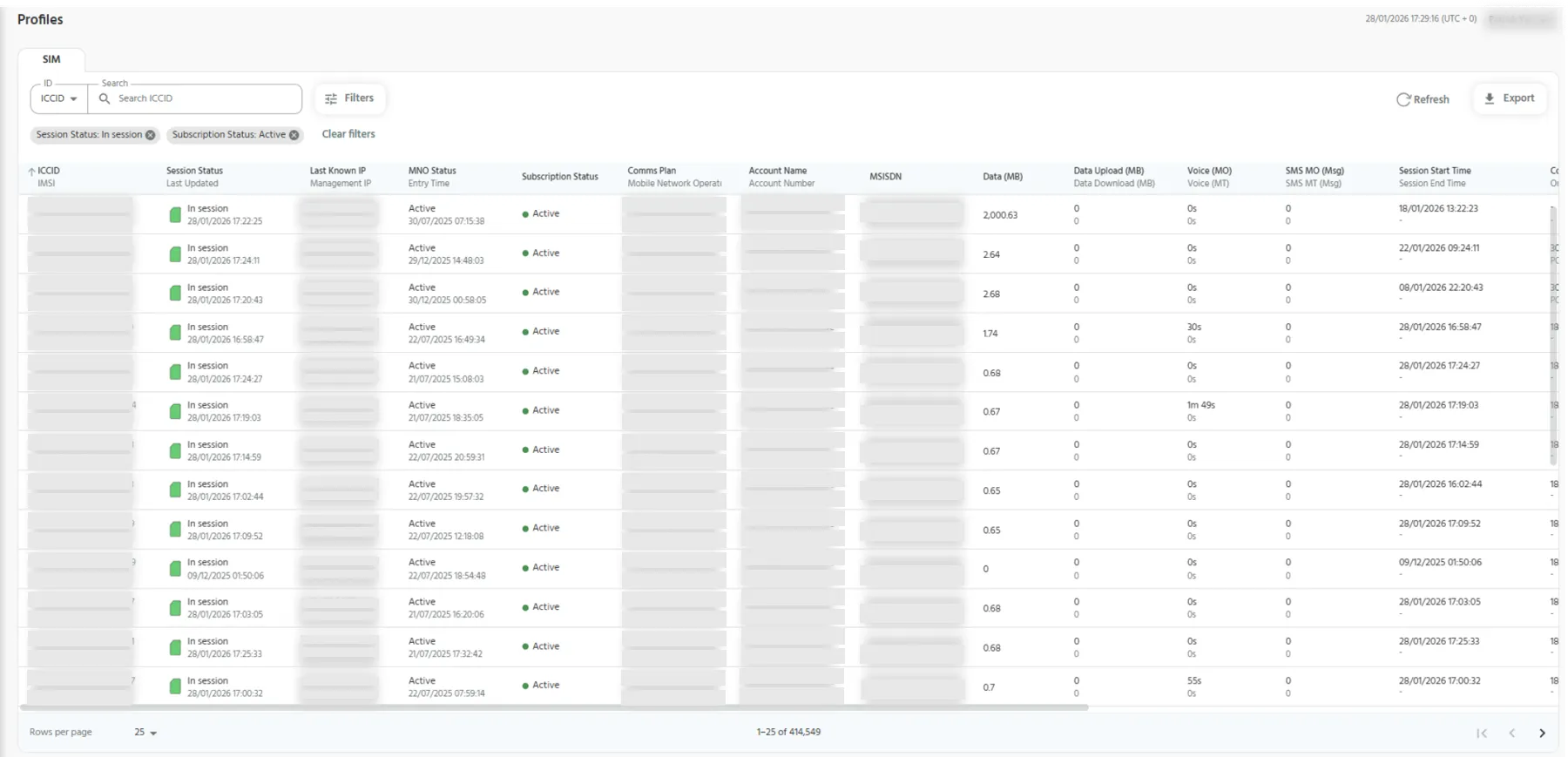
Search & Filter Profiles
Use Search to find a profile using an available identifier.
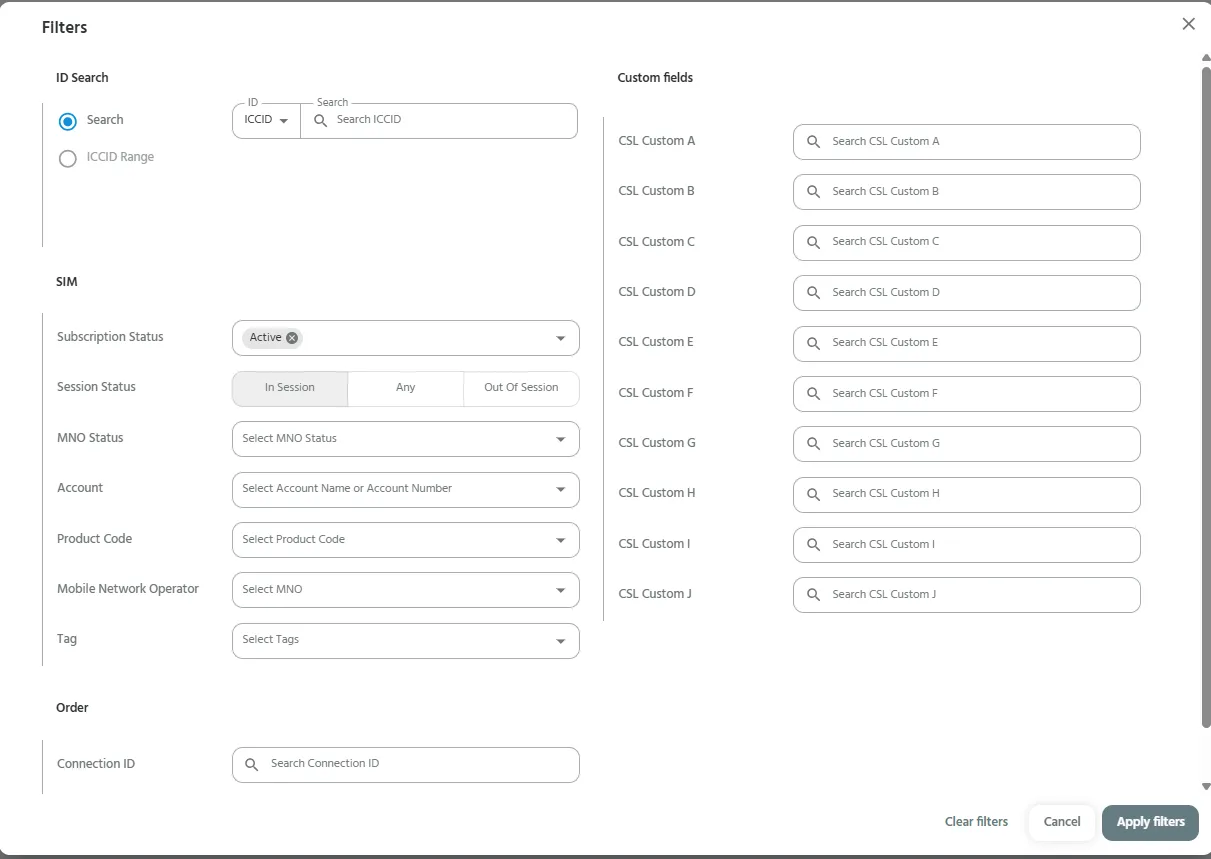
Select Filters to narrow the profile list using available fields such as:
- Subscription Status
- Session Status
- MNO Status
- Product Code
- Mobile Network Operator
- Tag
- Connection ID
- EID ranges
- Available custom fields
The available filters help you focus on a specific subset of profiles within your account.
View Profile Details
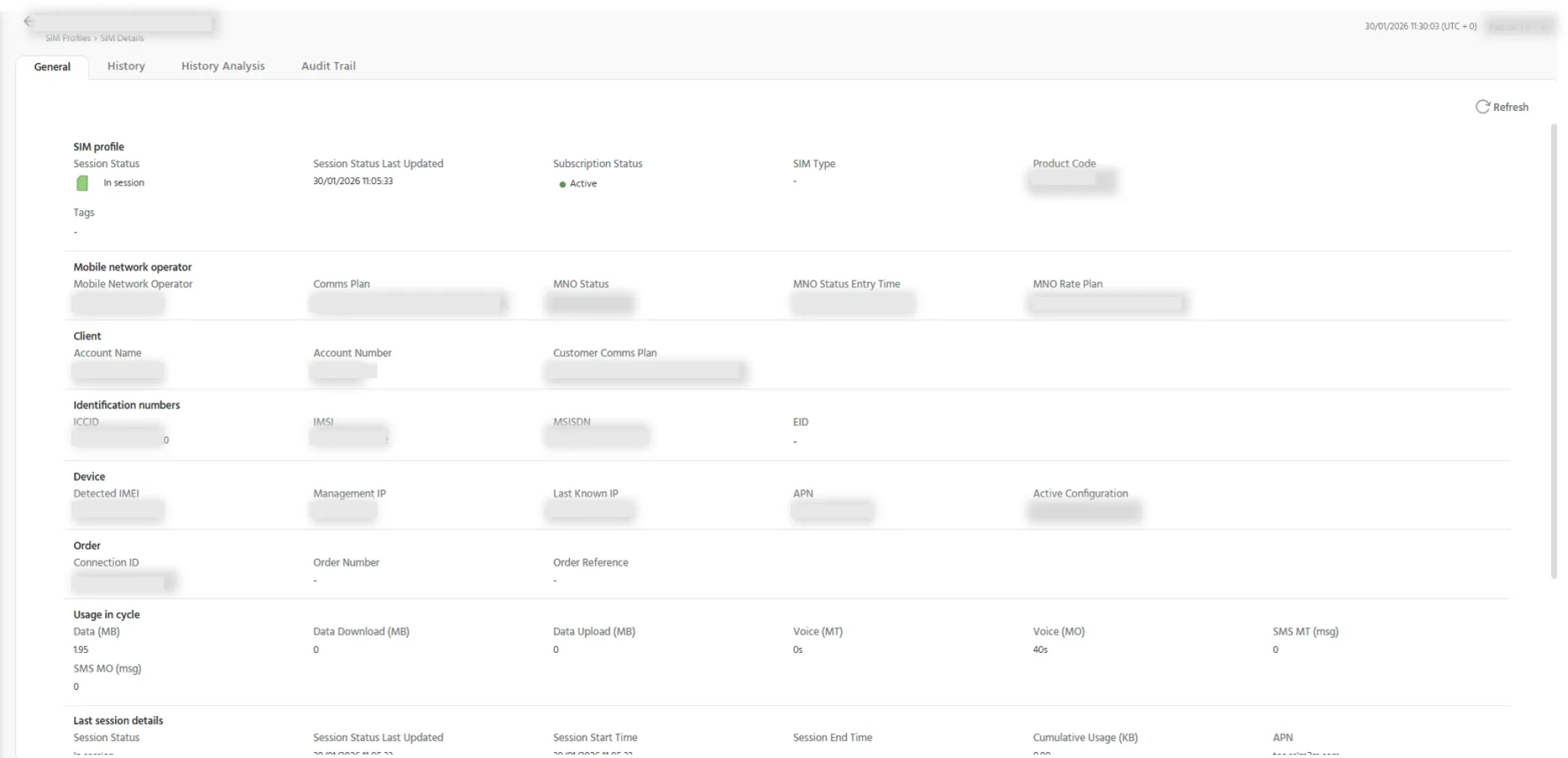
Select a profile from the list to open its SIM Profile Details page.
The profile details page provides information about the selected SIMs, and access to the available profile-level tabs.
General
The General tab displays the core profile information for the selected SIMs, including profile identifiers, status information and associated account details.
Authorised users can also add or edit tag information for the profile.
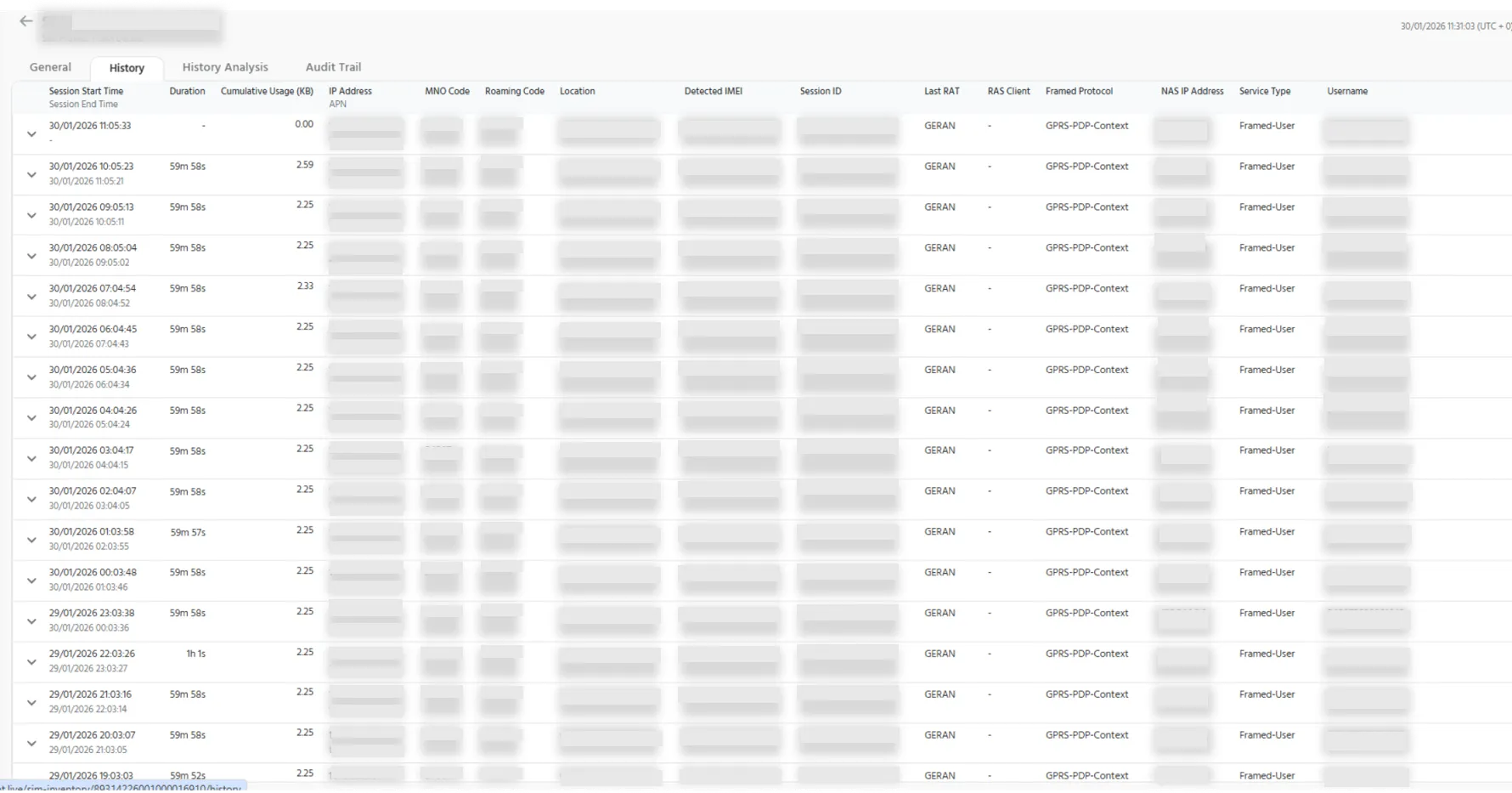
History
The History tab provides historical records associated with the selected profile.
Use this view to review previous profile activity and status changes.
History Analysis
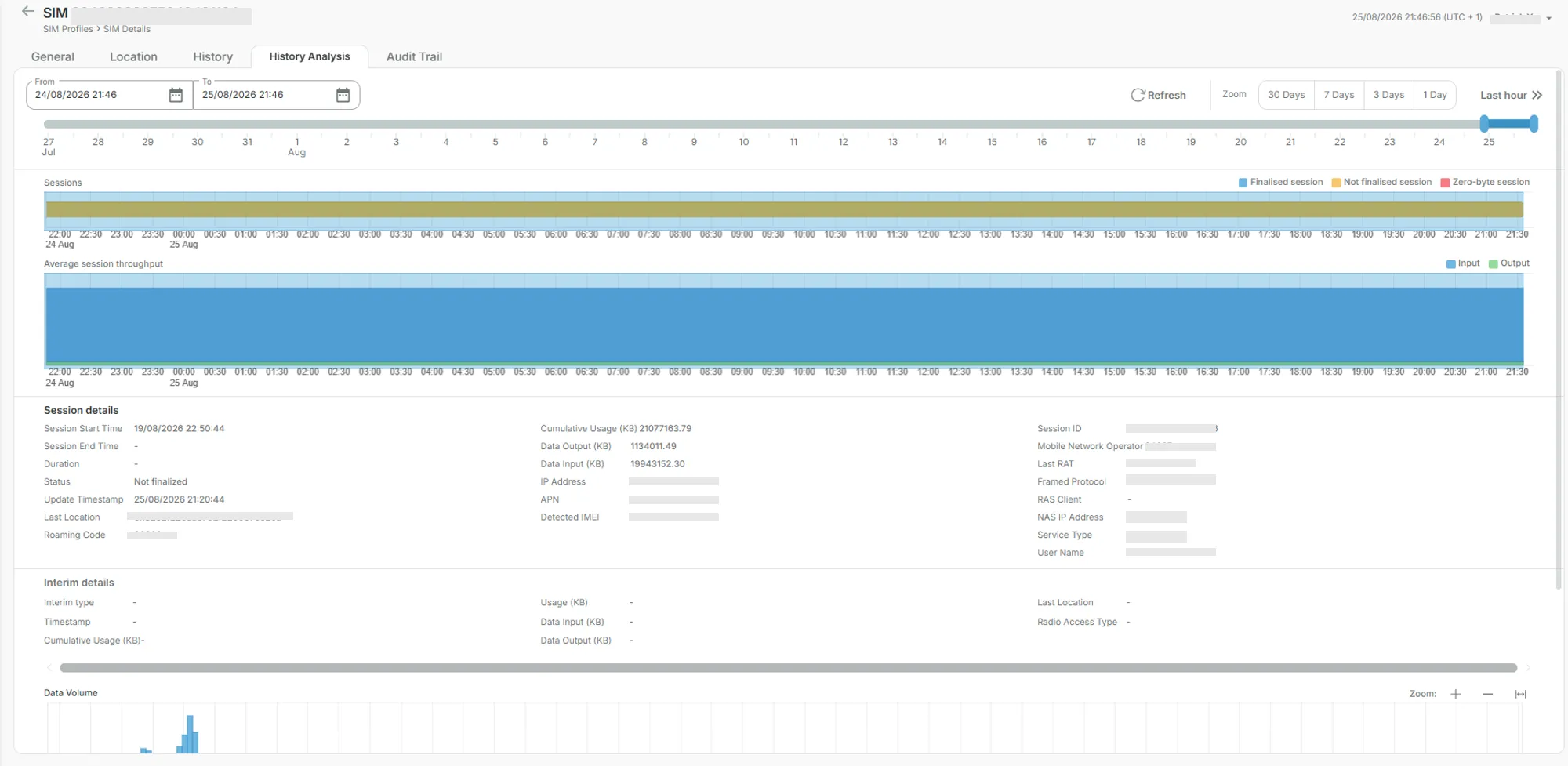
The History Analysis tab provides a graphical view of profile activity over time.
Use the chart to identify activity patterns and review historical session information for the selected profile.
Audit Trail
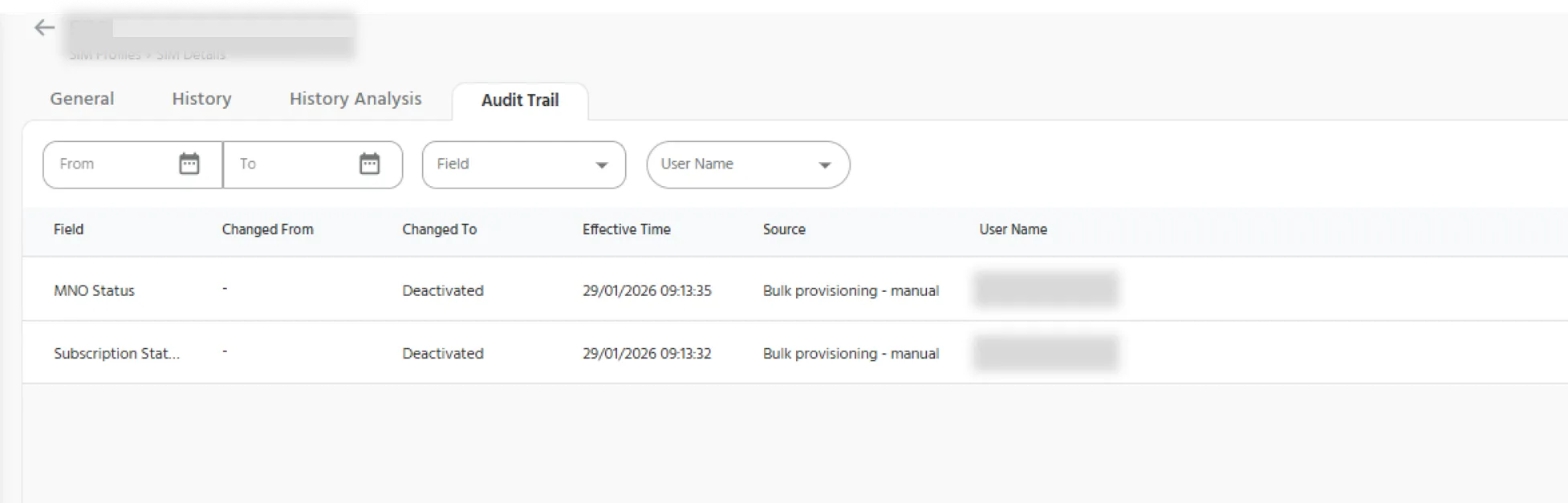
The Audit Trail tab provides a historical record of profile changes and administrative actions.
It can be used to investigate profile-level changes and review operational activity associated with the selected SIMs.
Info: Data recency
Important: Information displayed on the Profiles page may update at different intervals. Review timestamps and profile-level information where available before relying on the information as a current operational status.