Activation Code Management
eSIM Activation Code Management
Activation codes are associated with CDP accounts. Their inventory supports automatic code selection when downloading profiles. To administer it, open the gear menu and select Manage CDP Accounts, locate the intended account, and select its pencil-shaped Edit icon.
Location: Management > Manage CDP Accounts > Edit CDP account
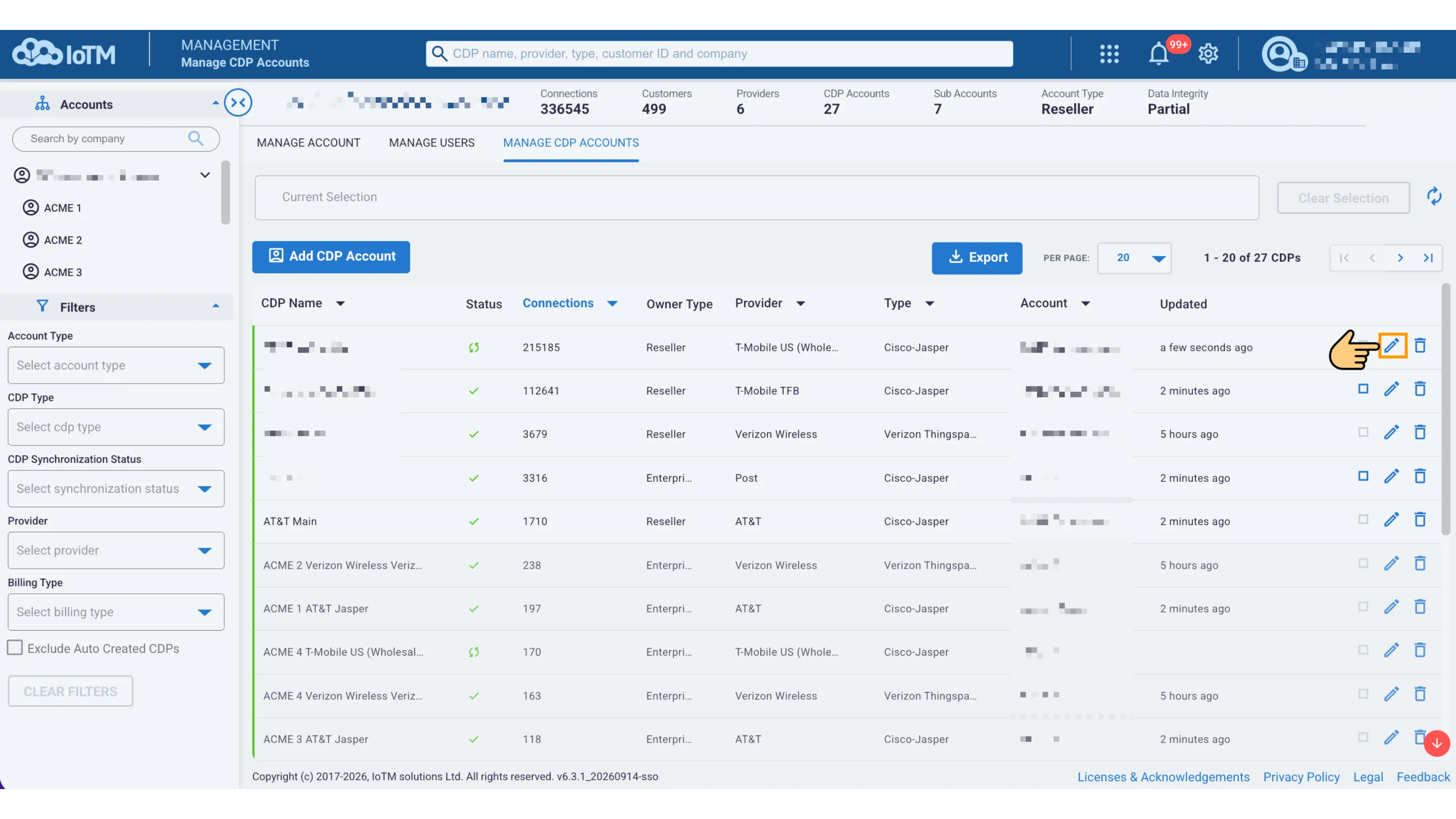
Opening the CDP account settings for activation-code management
Select Manage ESIM Activation Codes in the left navigation. The current page includes Import activation codes and Delete activation codes tabs, the activation-code inventory by status, and an Export menu.
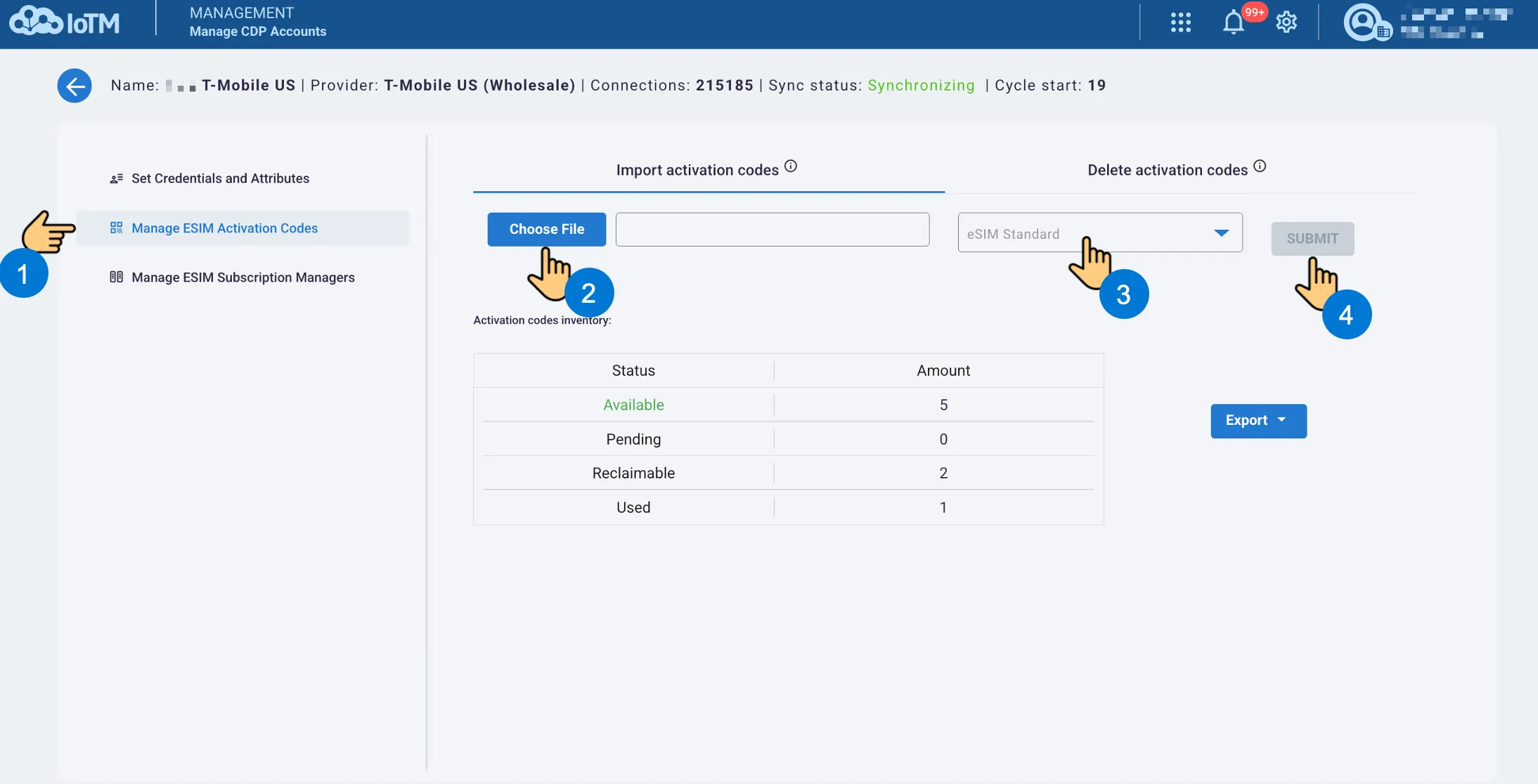
Activation-code inventory and the import workflow
The inventory summarizes Available, Pending, Reclaimable, and Used codes.
14.6.1 Import Activation Codes
Use the numbered workflow in the activation-code page above to Import Activation Codes:
- Select Manage ESIM Activation Codes and confirm that Import activation codes is the active tab.
- Select Choose File and browse to the prepared CSV or zipped CSV file.
- Select the applicable eSIM Standard (e.g. SGP.22, SGP.32)
- Review the target CDP and selected file, then select SUBMIT.
File Format
Use an ICCID and activation-code column. The following values illustrate the structure and are not provisioning credentials:
#ICCID,Activation Code
89000000000000000001,1$sm-dp.example.com$EXAMPLE-CODE
The file may contain up to 100,000 activation codes and be up to 10 MB. CSV and zipped CSV are supported. After import, review the inventory and confirm that suitable codes are available for the intended CDP.
14.6.2 Export Activation Codes
Select Export and choose All or an available status filter. The menu supports Available, Pending, Reclaimable, and Used. A status option can be disabled when no codes are available for that export.
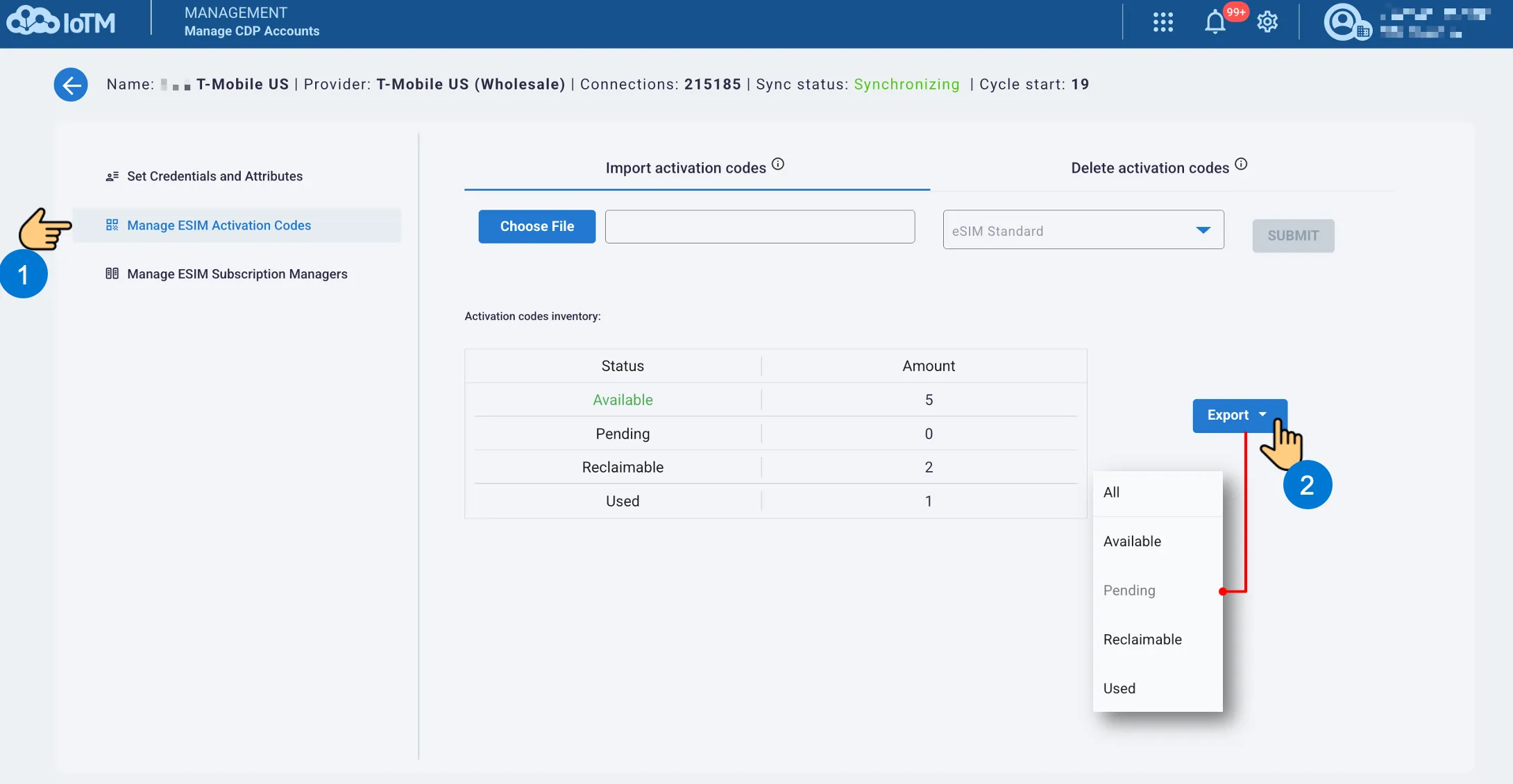
Exporting activation codes by status
The exported details include the ICCID or relevant identifier, activation code, status, and creation time. Handle the file as sensitive provisioning data and share it only with authorized users.
14.6.3 Delete Activation Codes
Deleting activation codes removes code records from the CDP’s inventory.
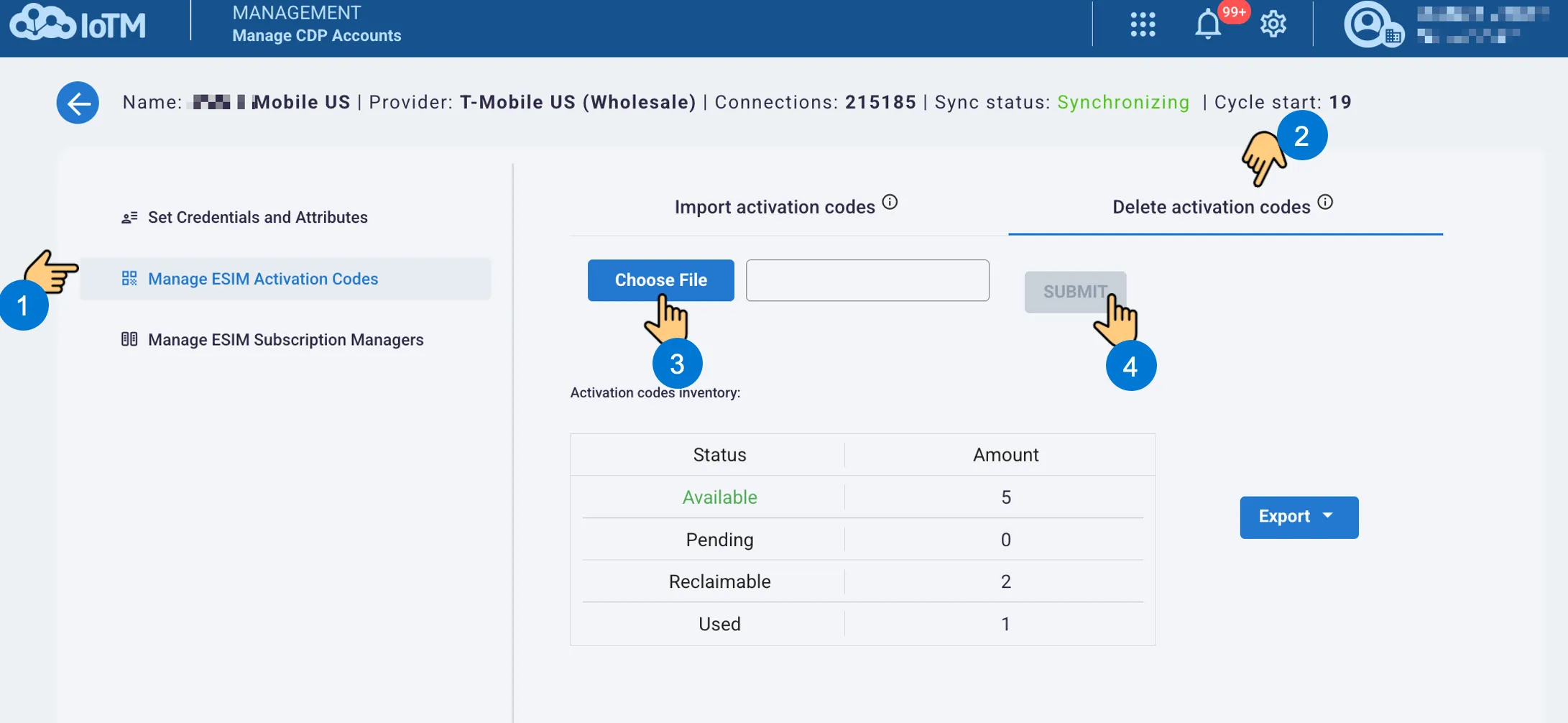
- Select the Delete activation codes tab on the same management page.
- Prepare a CSV or zipped CSV containing the ICCIDs whose activation codes should be removed.
- Choose the file, verify its scope and the target CDP, and select SUBMIT.
File Format
#ICCID
89000000000000000001
89000000000000000002
The file may contain up to 100,000 ICCIDs and be up to 10 MB. Review the remaining inventory after the deletion.
14.6.4 Link a CDP to eSIM Subscription Managers
In the same CDP settings, select Manage ESIM Subscription Managers. Review the CDP Account, select the checkboxes for the managers that should be linked, and clear those that should be unlinked. Select Submit to save the intended associations, or Cancel to leave without submitting.
These associations connect the CDP account to its eSIM management integrations. Confirm the intended managers before changing them.
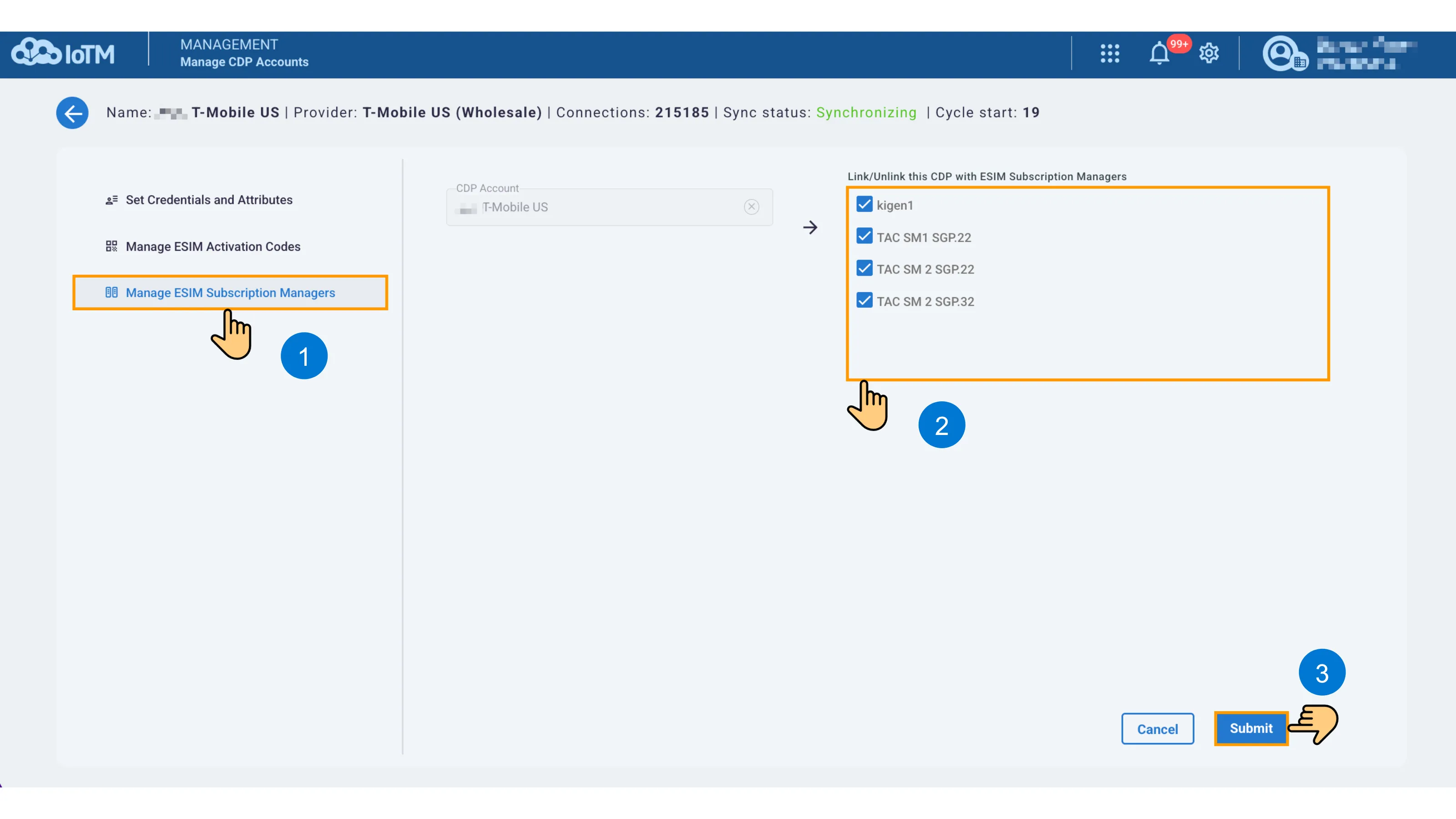
Linking or unlinking the CDP and eSIM subscription managers