rSIM Actions
RSIM is managed within the eSIM application, using the same EID and ICCID hierarchy. Its additional controls focus on primary and backup profiles, fallback behavior, and polling continuity. Select the relevant RSIM subscription manager and EID to see the controls supported for that deployment.
In the grid, expand an RSIM EID to see each profile’s State and Role. PRIMARY identifies the designated primary profile and BACKUP identifies the backup profile. Inspect both columns: the role alone does not establish whether the profile is currently enabled.
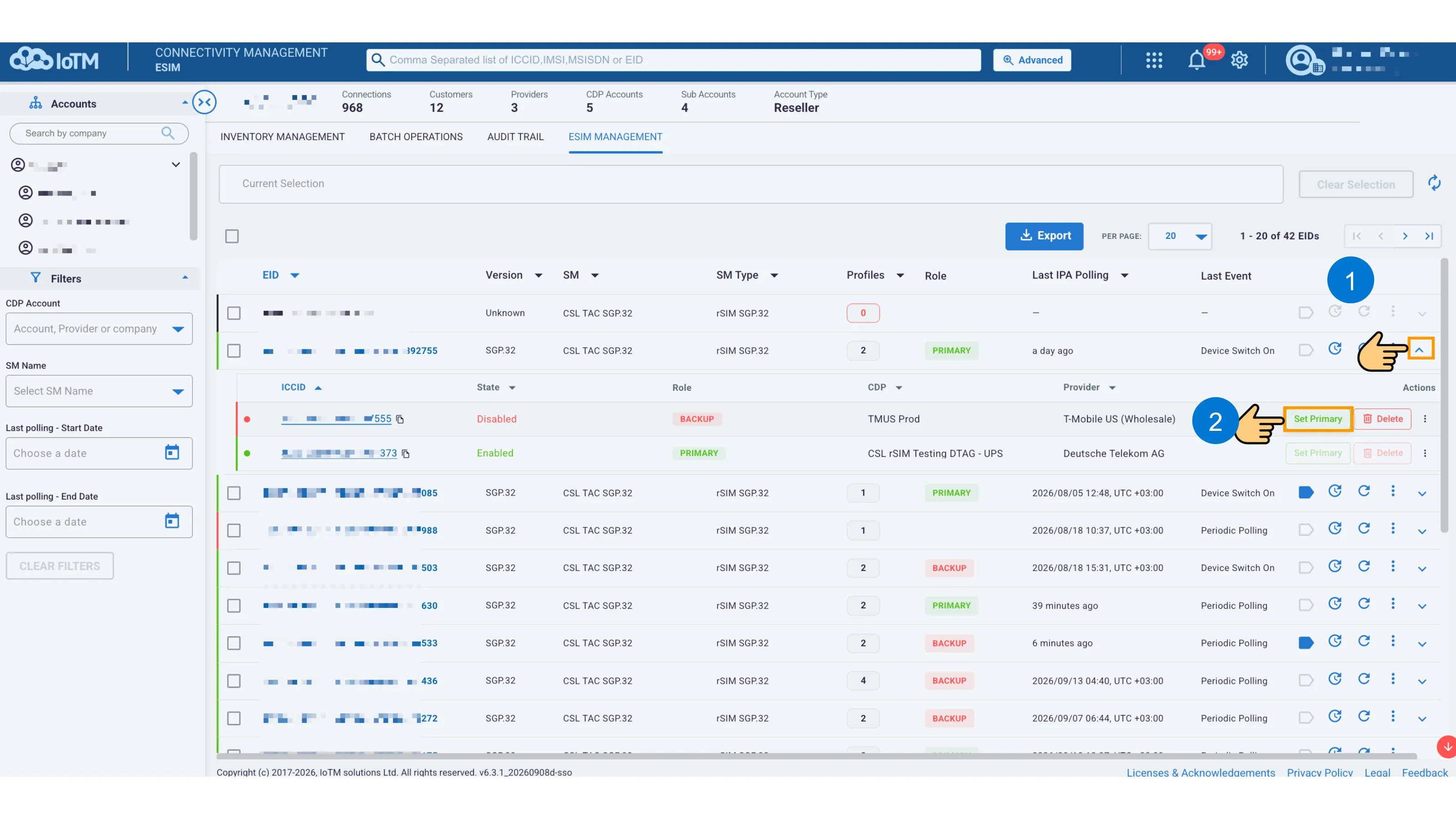
RSIM grid with primary and backup profiles and Set Primary action
14.5.1 RSIM Details and Polling History
The RSIM details page shows the current polling role, profile information, and the Target profiles table. Depending on the selected profile, its row can offer Set Primary, Delete, a three-dot action menu, and an expansion chevron.
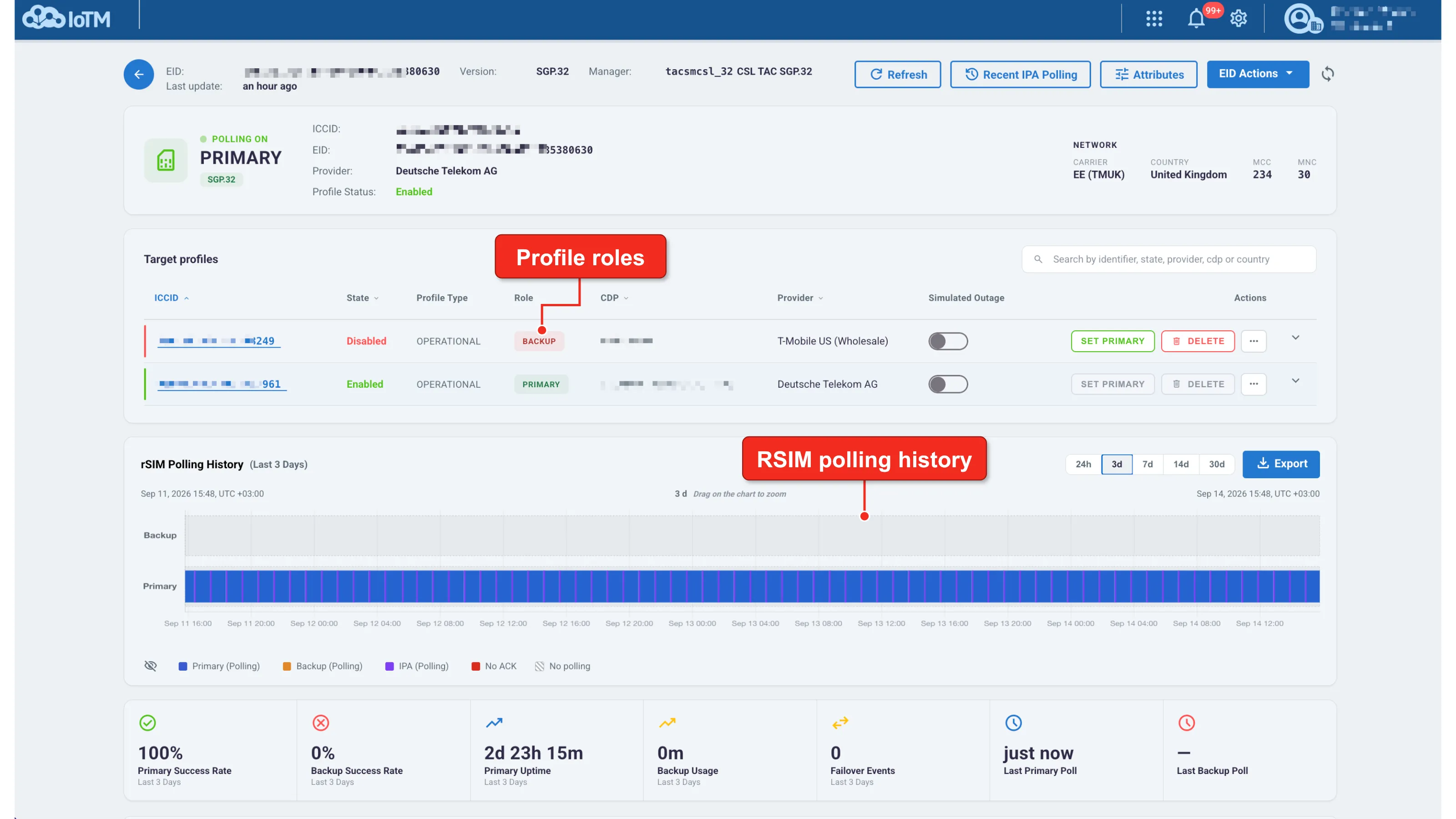
RSIM details with profile roles and polling history
Interface Components
Interface Control | Description |
|---|---|
Current polling role | The summary identifies whether polling is on PRIMARY or BACKUP. Review the profile state and the latest timestamps alongside it. |
Set Primary | Starts the profile-scoped Set Primary Profile workflow for the selected target. A control can be disabled when it is not applicable to the current state. |
Simulated Outage | Provides a testing control for a profile. Treat this as an intentional test action, not as a viewing filter. Do not enable it during routine inspection. |
rSIM Polling History | Shows primary, backup, and IPA polling, with indicators for No ACK and No polling. Choose 24h, 3d, 7d, 14d, or 30d, or drag on the chart to zoom. Export downloads the history. |
Summary indicators | Report primary and backup success rates, primary uptime, backup usage, failover events, and the latest primary and backup polls for the displayed period. |
A period with no backup activity should not be interpreted as a failed backup test solely from a zero or blank statistic. Read the polling history, event context, and selected time range together.
14.5.2 Set Primary Profile
Use Set Primary on the intended profile row in the expanded grid or Target profiles table. Confirm PROFILE SCOPE, then decide whether the workflow should also activate the subscription after the profile is enabled.
For the profile operation without a CDP activation step, leave Activate after profile enable unchecked, choose Run now, and select Apply.
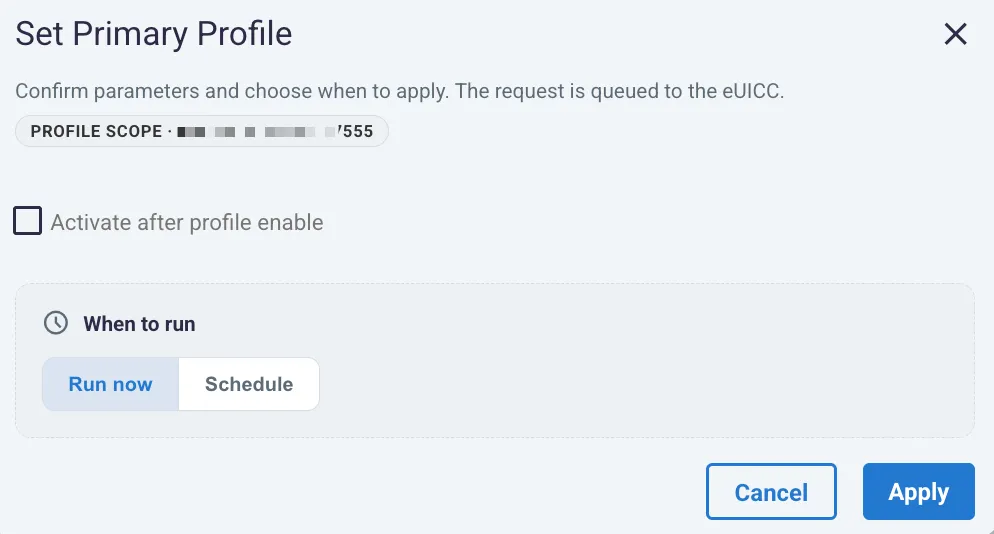
Setting an RSIM profile as primary without CDP activation
To combine the action with subscription activation, select Activate after profile enable and complete the displayed CDP and rate-plan fields. The Cisco-Jasper example below also shows an optional description and scheduling controls. Enter the date and time before selecting Schedule action.
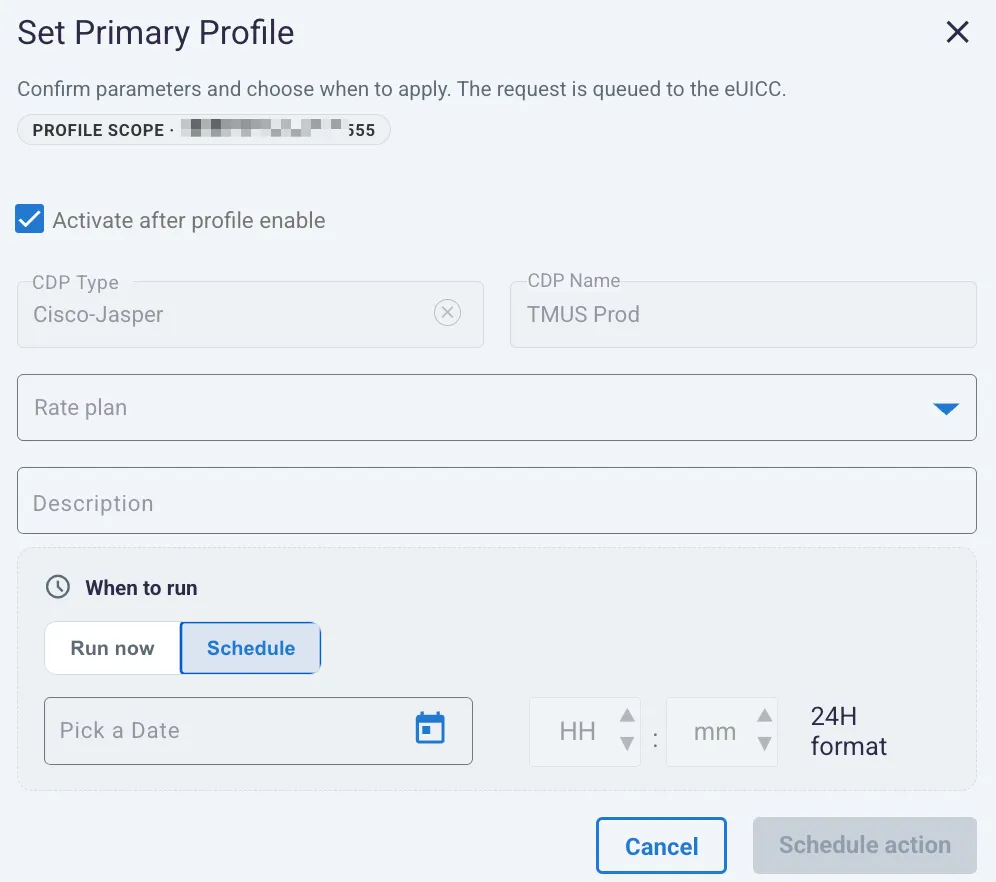
Scheduling Set Primary Profile with CDP activation
After execution, refresh the EID and verify the target’s role, profile state, and audit result. Do not infer the final primary/backup assignment from submission alone.
14.5.3 Set Fallback Attribute for an RSIM Profile
Use the profile’s three-dot menu and select Set Fallback Attribute to configure the profile’s fallback designation. This is the RSIM workflow for the backup/fallback role. The command is labeled Set Fallback Attribute.
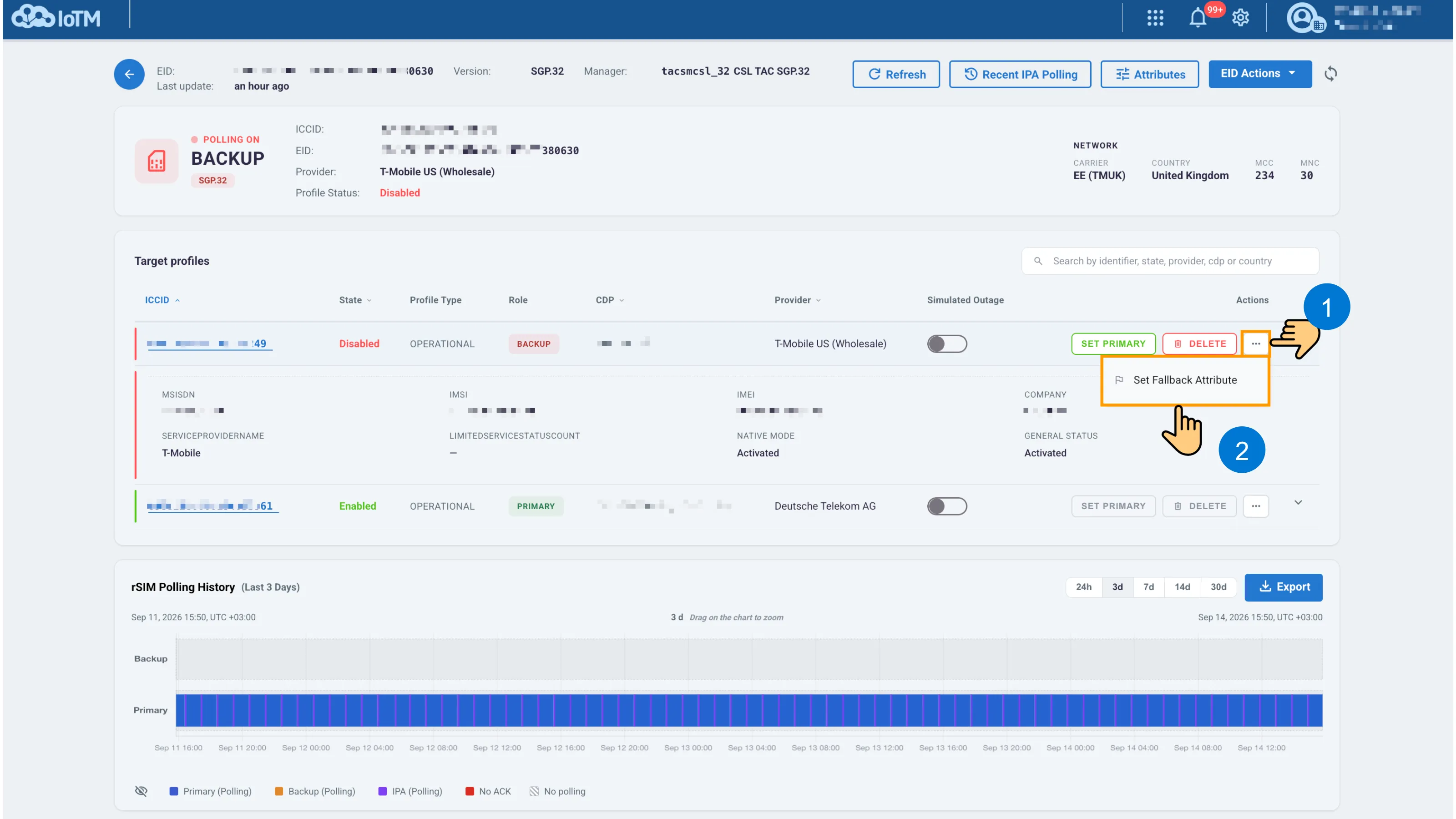
Opening Set Fallback Attribute from an RSIM profile row
Confirm the PROFILE SCOPE identifier, select Run now or Schedule, and submit the request. This RSIM dialog does not display the Limited Service Count field shown for the other implementation in section 14.1.3. Use the fields offered by the selected manager, then verify the resulting role and audit status.
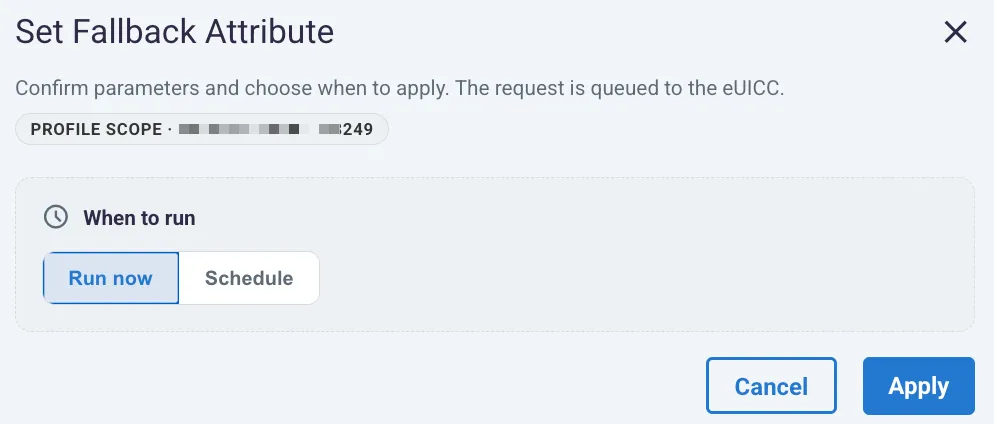
RSIM Set Fallback Attribute confirmation
14.5.4 Delete an RSIM Profile
Where Delete is available for the selected RSIM profile, review its role and the effect on the primary/backup arrangement before proceeding. The confirmation identifies PROFILE SCOPE and warns that removal from the eUICC is permanent. Choose the timing and select Delete only after verifying the target.
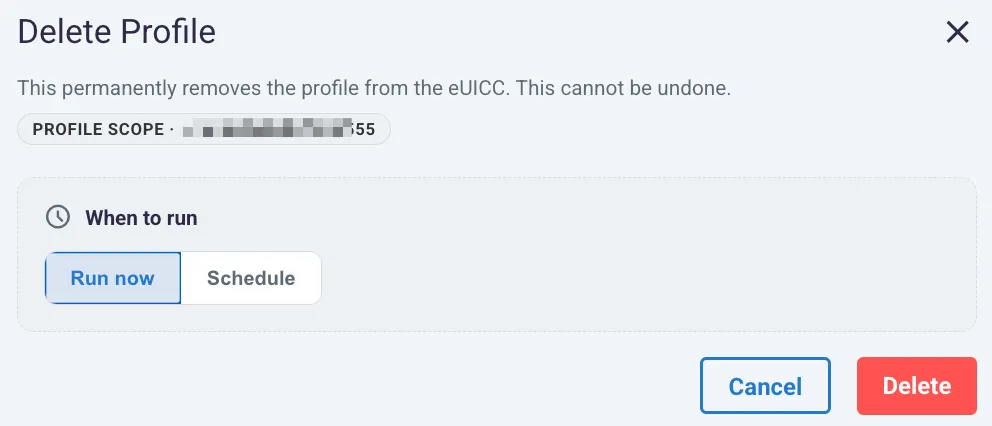
RSIM profile deletion confirmation
Use eSIM Configuration, Recent IPA Polling, and eSIM Audit History to inspect RSIM configuration and outcomes.