Billing and Invoices
Chapter 8: Billing and Invoices Functional Tab
The Billing and Invoices functional tab summarizes connectivity invoices received from mobile service providers. Use the grid for a high-level invoice view, then expand a row or export an invoice when detailed charges, device activity, and usage information are required.
The account scope, billing-cycle range, search, sorting, and filter pane help narrow the invoice list. Available filters include CDP Account, Include Auto Created Accounts, CDP Type, and Provider.
- Billing and Invoices Tab Unique Components and Controls
The Billing and Invoices page provides controls for finding, reviewing, expanding, refreshing, and exporting invoices.
Billing and Invoices Grid Page
The grid lists invoices for the current account scope. Use the billing-cycle controls, filters, search, and sorting to find an invoice. Select a row to show invoice totals, dates, charge categories, connection counts, and usage volumes.
Location: Billing and Invoices
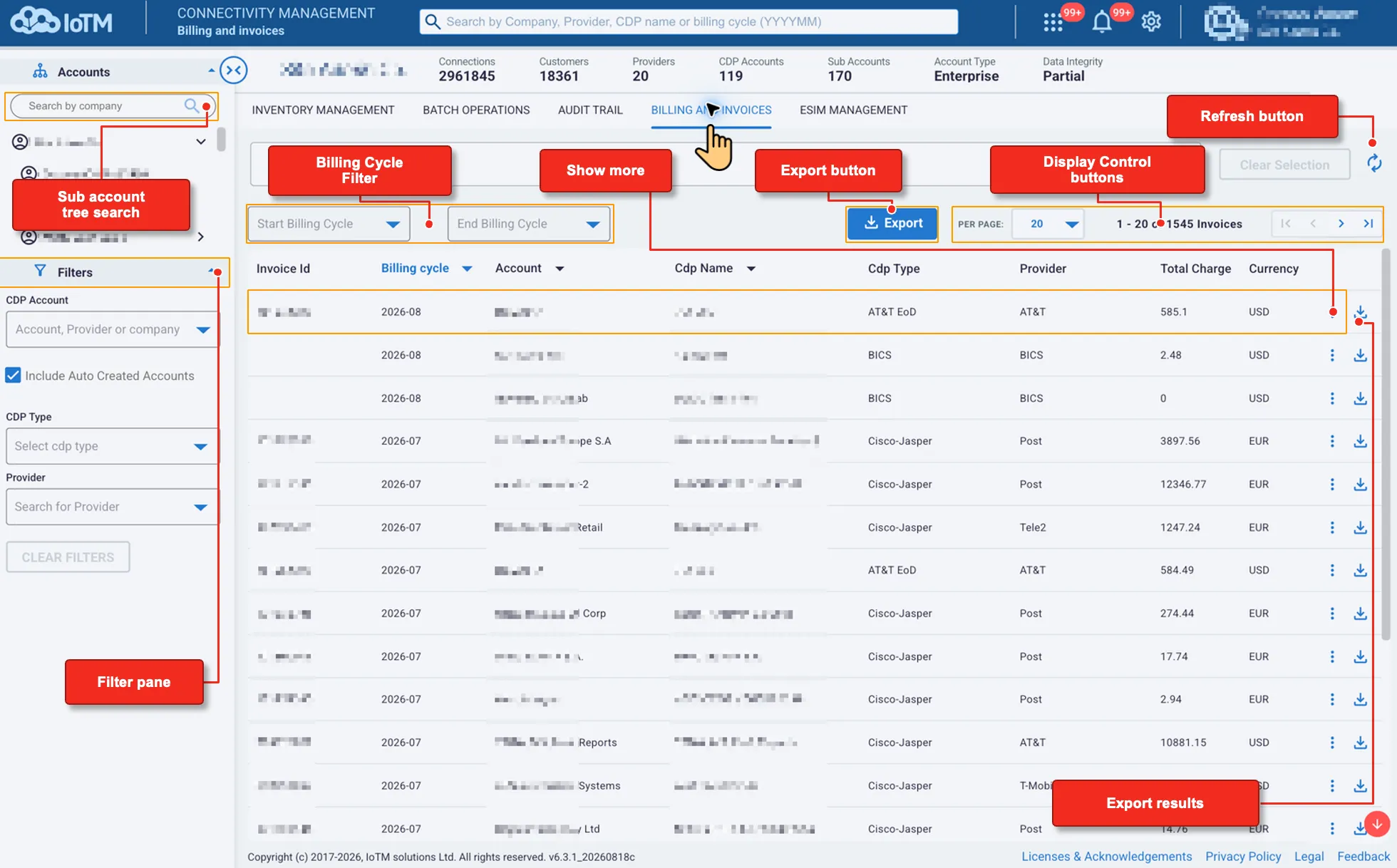
Billing and Invoices Grid Page unique Components and Controls
Interface Components
Interface Control | Description |
|---|---|
Sub account tree search | Searches the account tree. After you select an account, the grid shows invoices associated with that scope. |
Filter pane | Narrows invoices by CDP Account, Include Auto Created Accounts, CDP Type, and Provider. |
Billing Cycle Filter | Limits invoices to the range from Start Billing Cycle through End Billing Cycle, including the selected boundary cycles. |
Show more | Expands a selected invoice row to show dates, charges, account totals, and usage information. |
Export button | Exports all invoices in the current selection, including invoices beyond the visible page, as zipped CSV or Microsoft Excel (XLSX). |
Display Control buttons | Changes the number of invoices displayed per page and moves through the result pages. |
Refresh button | Reloads the invoice list and current data. |
Export results | Downloads one invoice with detailed device, usage, charge, and discount information as zipped CSV or Microsoft Excel (XLSX). |
The Billing and Invoices grid displays these columns:
- Invoice Id
- Billing cycle
- Account
- CDP Name
- CDP Type
- Provider
- Total Charge
- Currency
13.1 Getting Invoice Information
Select an invoice row to expand it and review the invoice summary without leaving the grid.
Location: Billing and Invoices > Select an invoice row
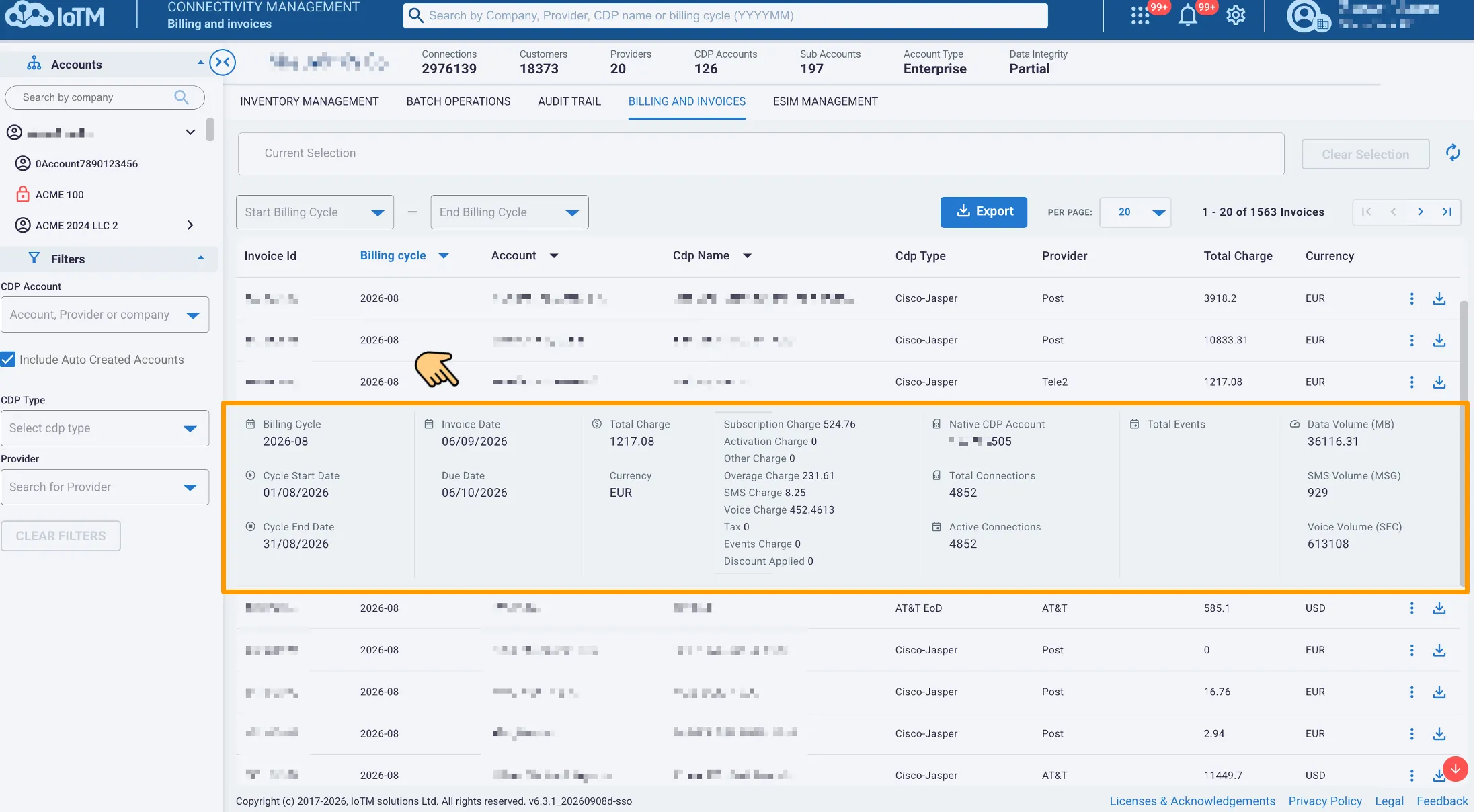
Viewing invoice information
The expanded invoice can include:
- Billing Cycle, Cycle Start Date, and Cycle End Date
- Invoice Date and Due Date
- Total Charge and Currency
- Subscription, Activation, Other, Overage, SMS, Voice, Events, and Discount Applied amounts
- Native CDP Account
- Total Connections and Active Connections
- Total Events
- Data Volume (MB), SMS Volume (MSG), and Voice Volume (SEC)
13.1.1 Getting Invoice Details
Use the download arrow on an invoice row to export that invoice. The individual export provides detailed device and usage information, due dates, and the charge and discount breakdown.
Location: Billing and Invoices > Select the download arrow for an invoice > Select Zipped CSV or Microsoft Excel
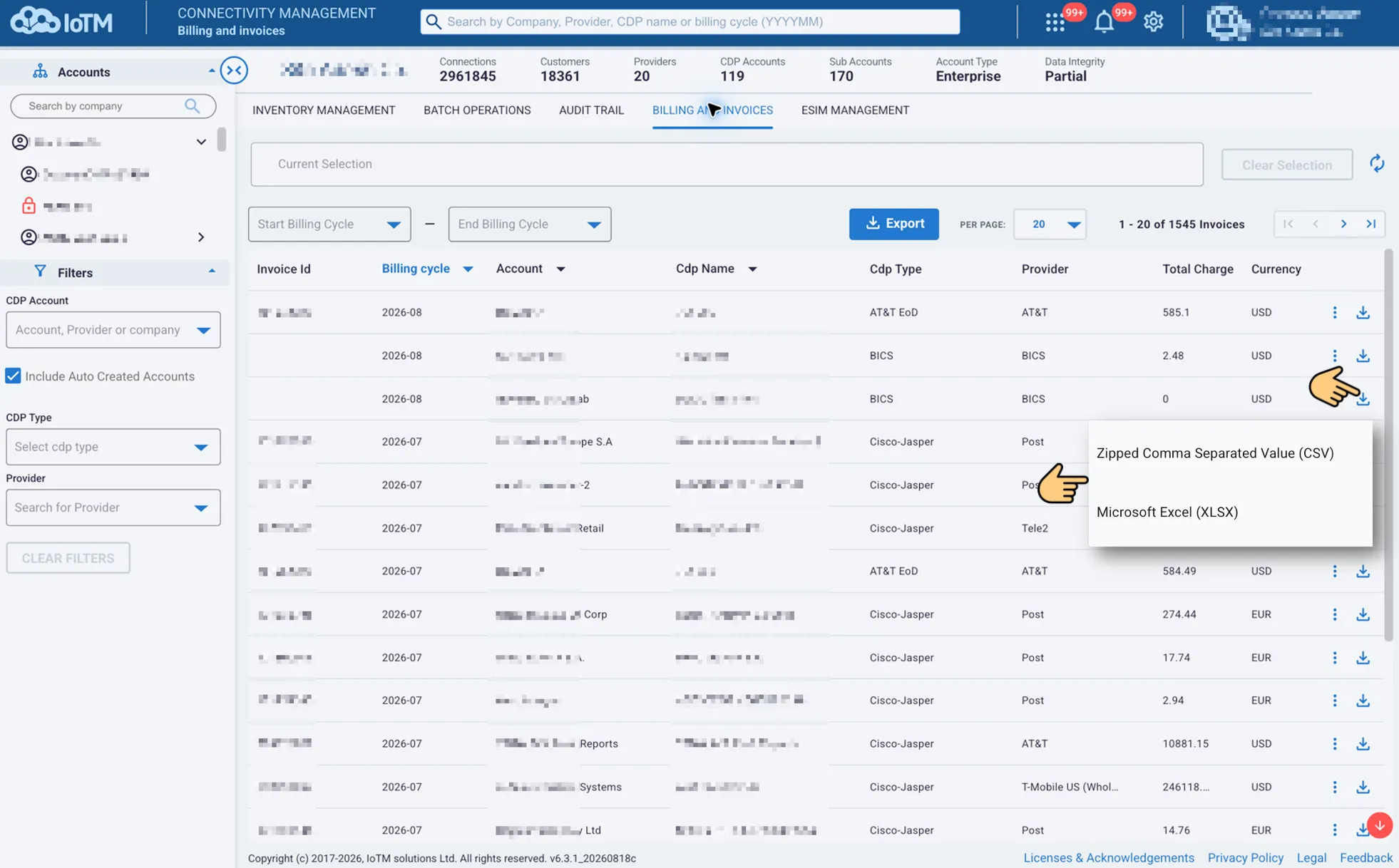
Exporting an individual invoice
13.2 Exporting Billing and Invoices Data
Use Export to download all invoices in the current account, billing-cycle, and filter selection, including invoices beyond the visible page. Set the billing-cycle range and filters before exporting when the file should cover a narrower selection.
Location: Billing and Invoices > Export > Select Zipped CSV or Microsoft Excel
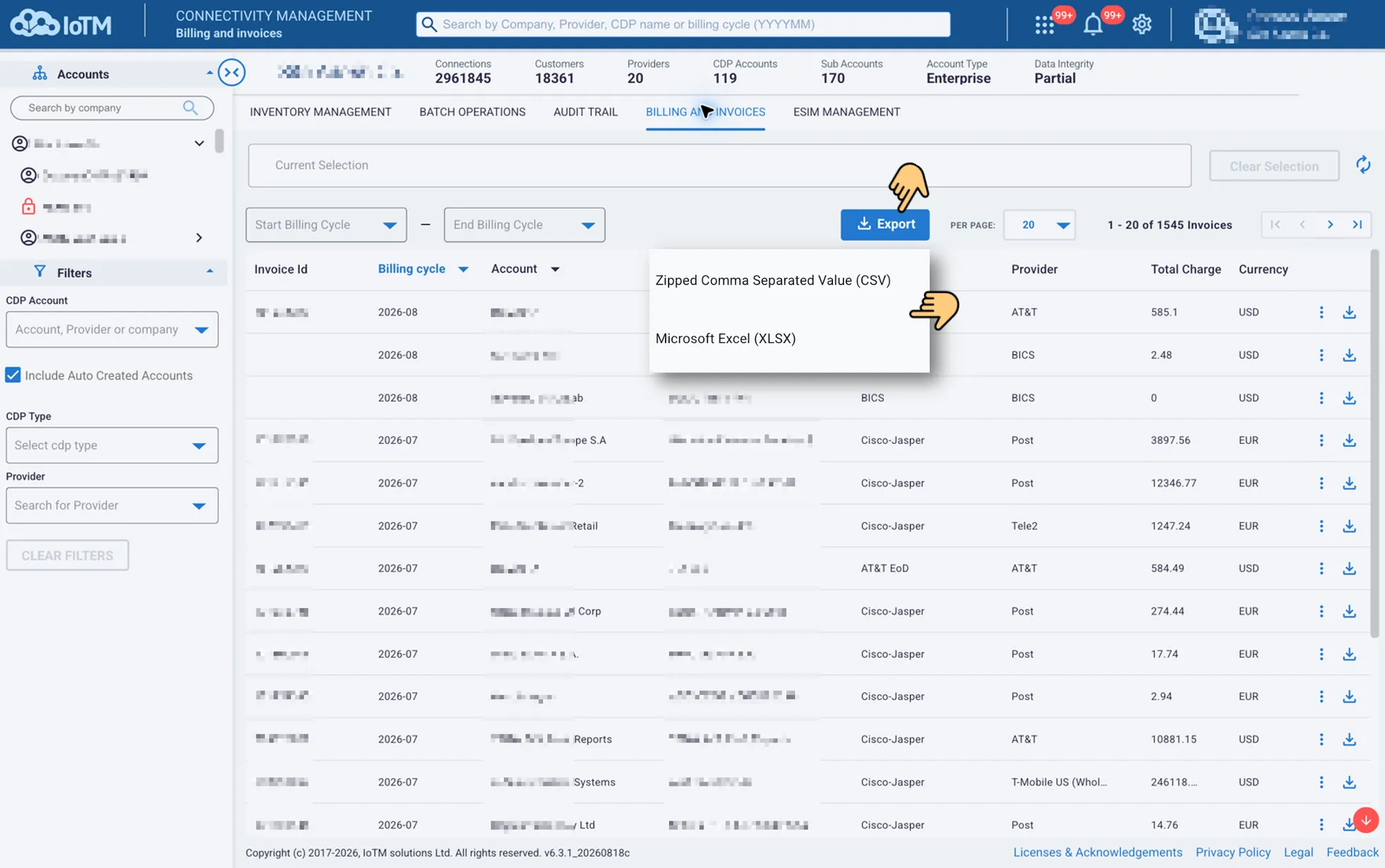
Exporting Billing and Invoices data