Audit Trail
Chapter 7: Audit Trail Functional Tab
The Audit Trail functional tab records system events and identifies the user, account, or API interaction that caused each request. Use it to review request status, confirm when an action occurred, and investigate successful or failed activity.
The grid, account selection, search, sorting, and filters help narrow the request history. The filter pane supports Request Type, Status, Users, Submit Time, and Show Actions Only.
- Audit Trail Tab Unique Components and Controls
The Audit Trail page provides controls for finding, reviewing, expanding, refreshing, and exporting platform requests.
Audit Trail Grid Page
The grid lists events and actions generated by the web application and API requests. Select an account scope, apply filters, or search and sort the list to find an event. Select a row to display its request details.
Location: Audit Trail
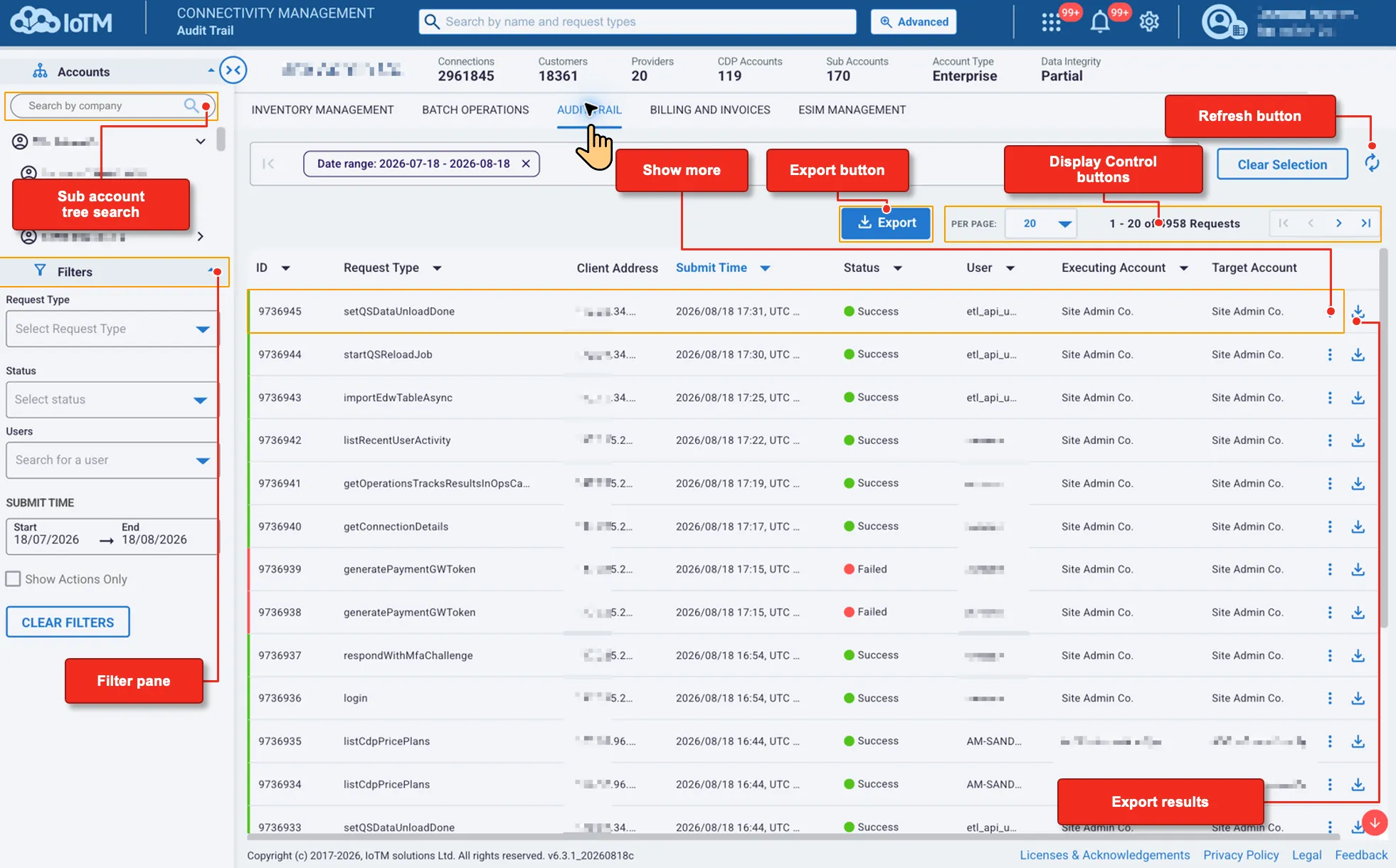
Audit Trail Grid Page unique Components and Controls
Interface Components
Interface Control | Description |
|---|---|
Sub account tree search | Searches the account tree. After you select an account, the grid shows requests associated with that scope. |
Filter pane | Narrows requests by Request Type, Status, Users, Submit Time, and the Show Actions Only option. |
Show more | Expands a selected row to show additional request and result information, including the raw Request Details value. |
Export button | Exports all audit events in the current selection, including events beyond the visible page, as zipped CSV or Microsoft Excel (XLSX). |
Display Control buttons | Changes the number of requests displayed per page and moves through the result pages. |
Refresh button | Reloads the request list and current status information. |
Export results | Downloads one event with the grid data and the additional Request Details field as zipped CSV or Microsoft Excel (XLSX). |
The Audit Trail grid displays these columns:
- ID
- Request Type
- Client Address
- Submit Time
- Status
- User
- Executing Account
- Target Account
12.1 Getting Event Information
Select an event row to expand it and review the request and result information without leaving the grid.
Location: Audit Trail > Select an event row
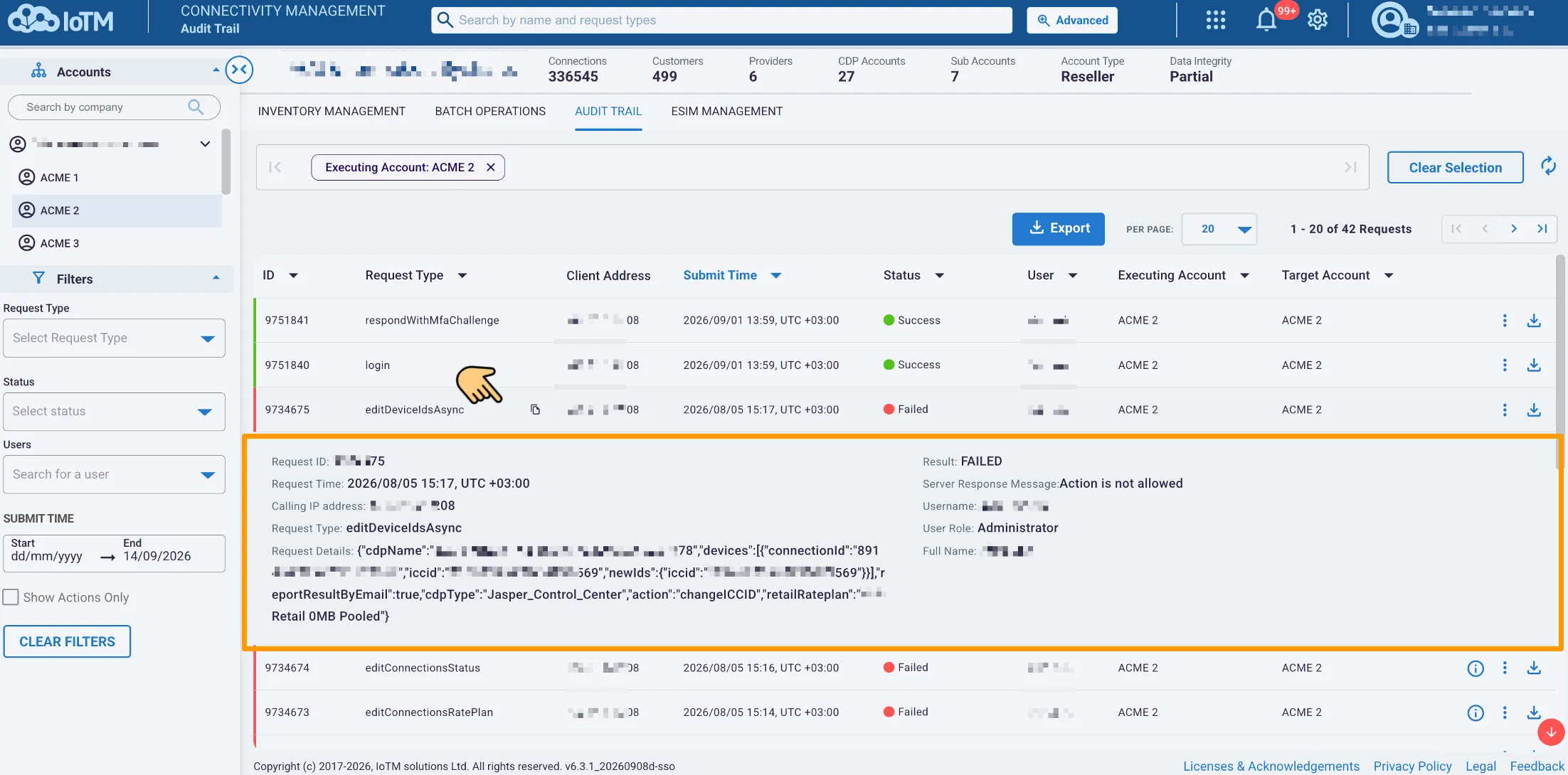
Viewing Audit Trail event information
The expanded row can include:
- Request ID
- Request Time
- Calling IP address
- Request Type
- Request Details
- Result
- Server Response Message
- Username
- User Role
- Full Name
12.1.1 Getting Event Details
Use the download arrow on an event row to export that event. The individual export includes the information shown in the grid and an additional Request Details field.
Location: Audit Trail > Select the download arrow for an event > Select Zipped CSV or Microsoft Excel
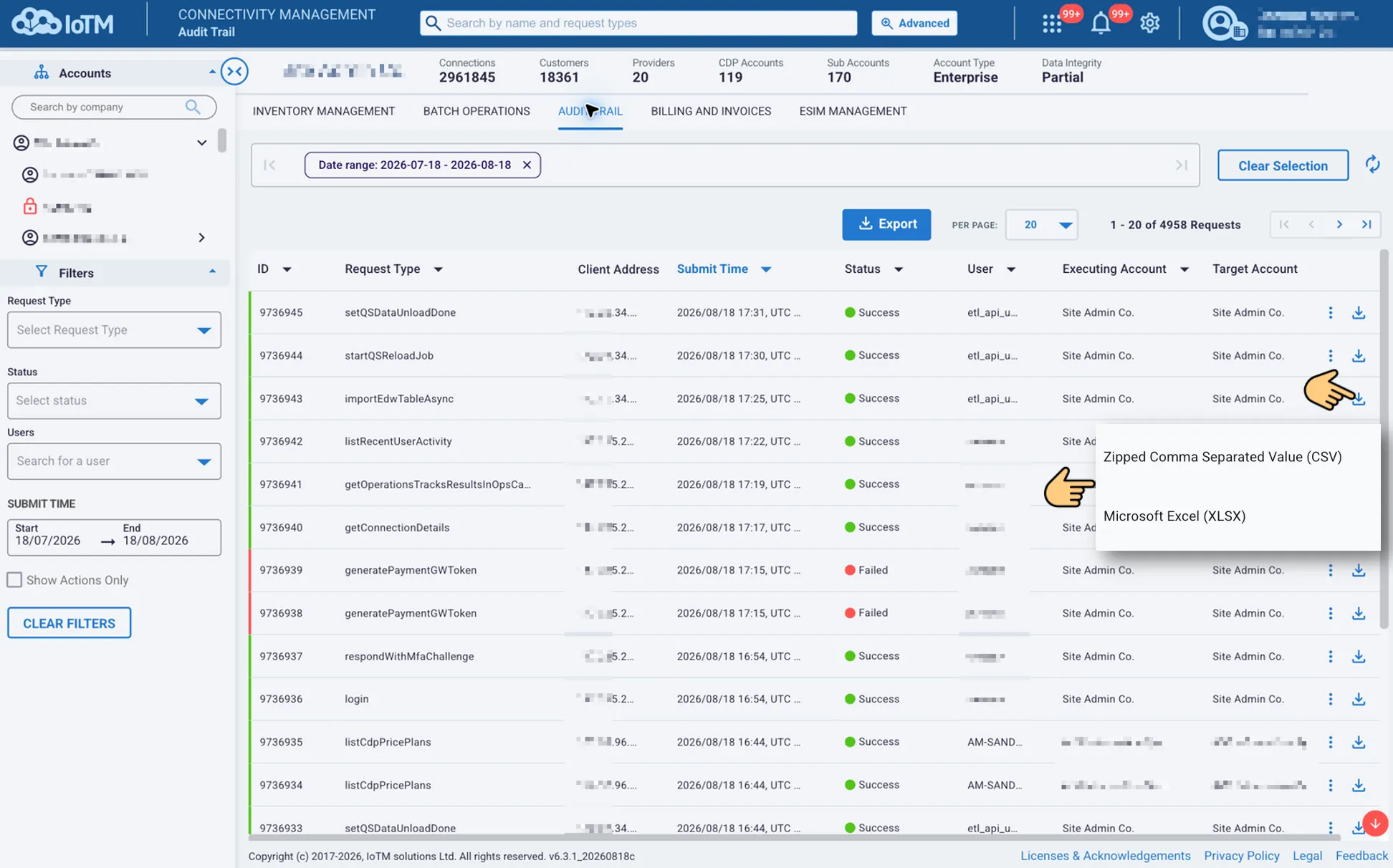
Exporting an individual Audit Trail event
12.2 Exporting Audit Trail Data
Use Export to download all audit events in the current account and filter selection, including events beyond the visible page. Refine the selection first when the export should cover only specific request types, statuses, users, or submission times.
Location: Audit Trail > Export > Select Zipped CSV or Microsoft Excel
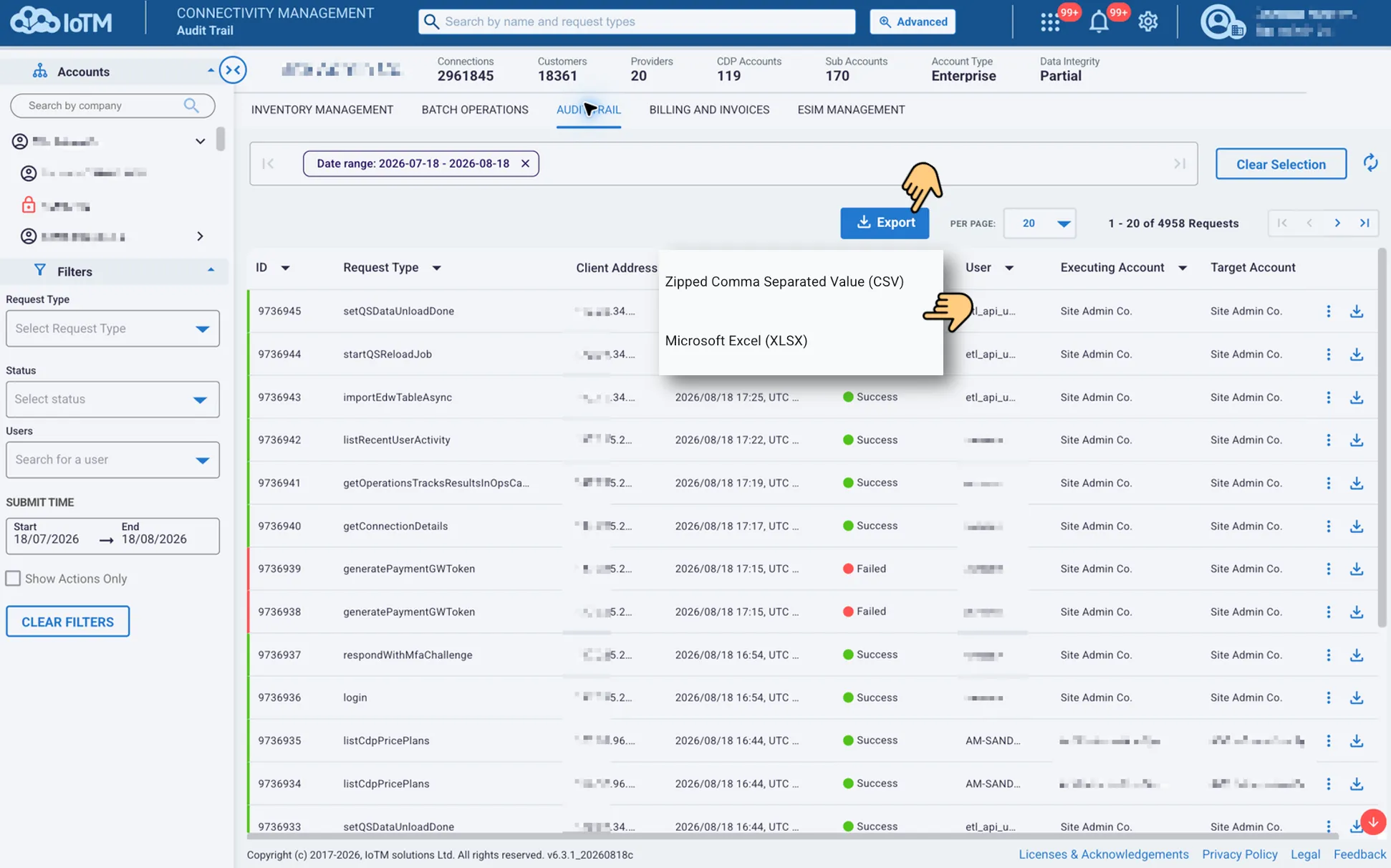
Exporting Audit Trail data