Managing Cdp Accounts and ESIM Subscription Managers
8.2. Editing CDP Accounts
Editing CDP accounts is similar to “Adding CDP Accounts” above in the sense that it is done in a similar dialog with similar fields as in the Filling in CDP Parameters and Attributes section above. As opposed to adding a new CDP account, there is no need for selecting the CDP platform type, so the process actually starts from the 2nd stage of the Add CDP wizard flow. A typical case where you might need to edit a CDP account is to update the CDP Account password field, in case the password was rotated on the underlying CDP platform.
A typical case where you might need to edit a CDP account is to update the CDP Account password field, in case the password was rotated on the underlying CDP platform. Apart from changing the attributes, where eSIM Management is enabled, you may need to link a given CDP account to an SM (Subscription Manager) Type available.
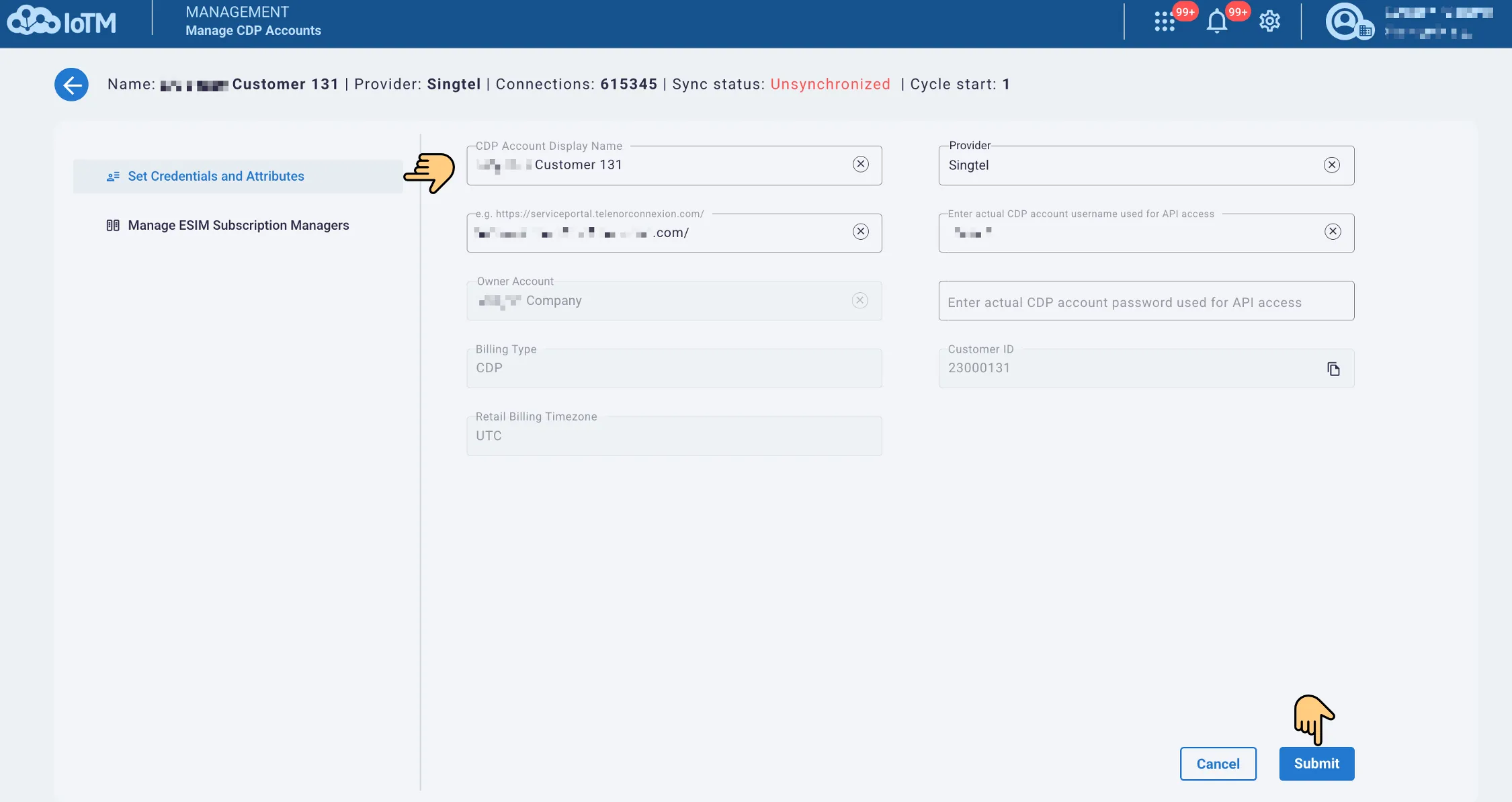
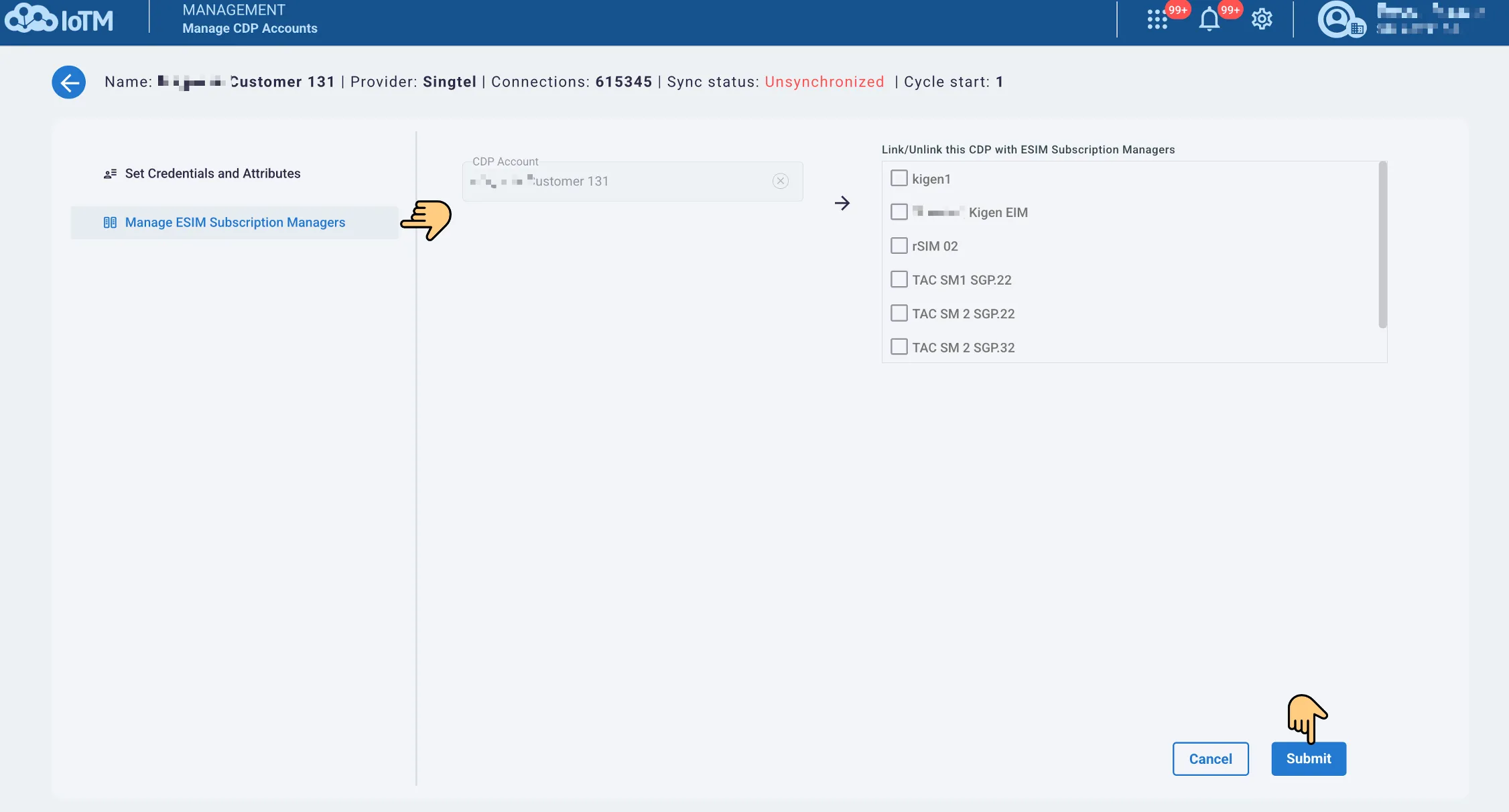
Edit Connected Device Platform (CDP) dialog window. The Example is for Cisco/Jasper, other CDP types’ fields vary according to the relevant CMP platform API requirements.
8.3. Deleting CDP Accounts.
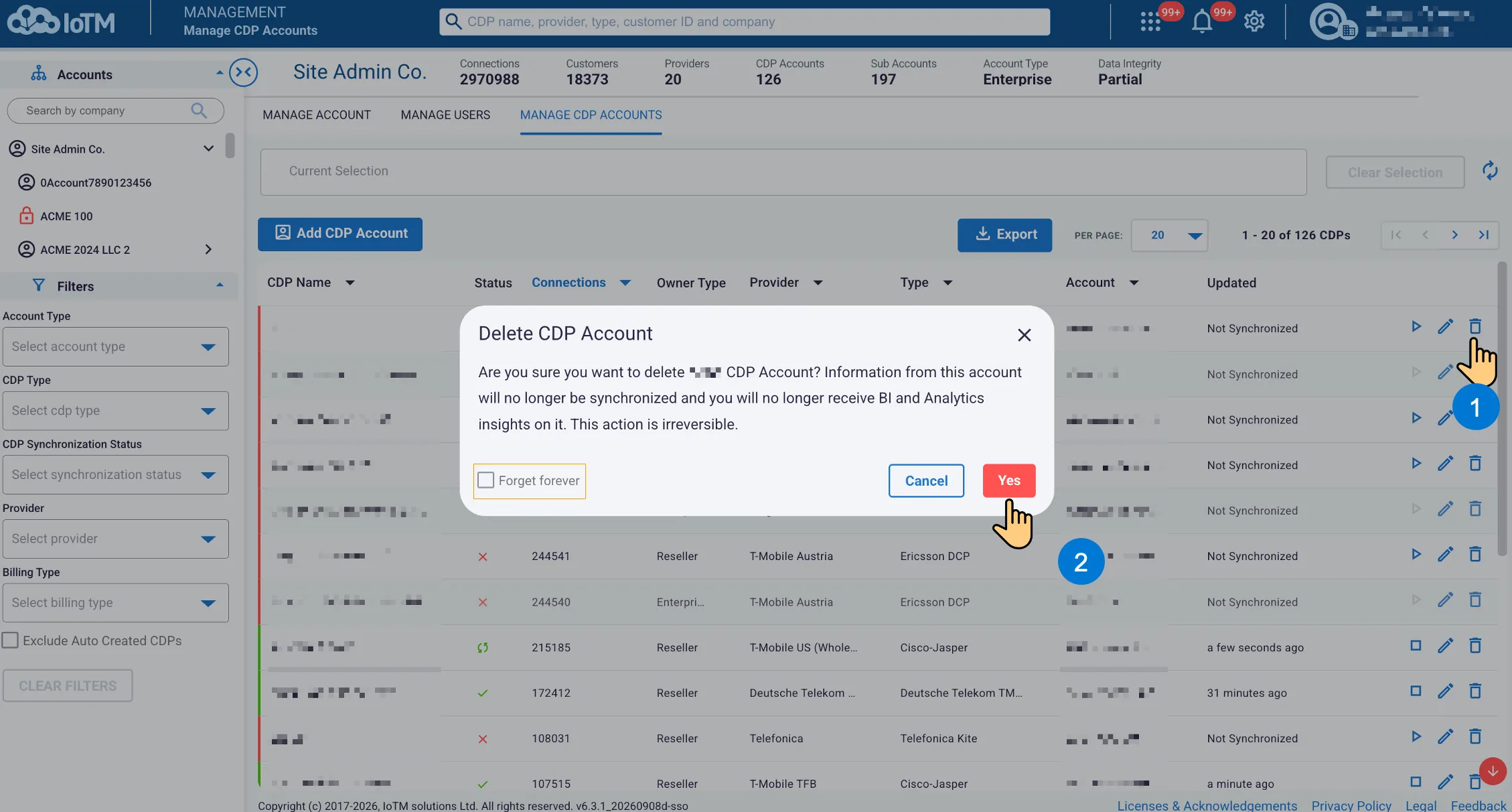
Deleting a CDP account removes the CDP and stops all synchronization, alerts or automation associated with the CDP. Clicking on “Forget Forever” prioritizes purging and negates the option of limited time data recovery in case of accidental deletion.