Polling Configuration and Auditing
14.4.1 Recent IPA Polling
Recent IPA Polling can be viewed on the EID details page, its polling-history control in the grid, or from the details page of one of the managed connections (Profiles) associated with the EID.
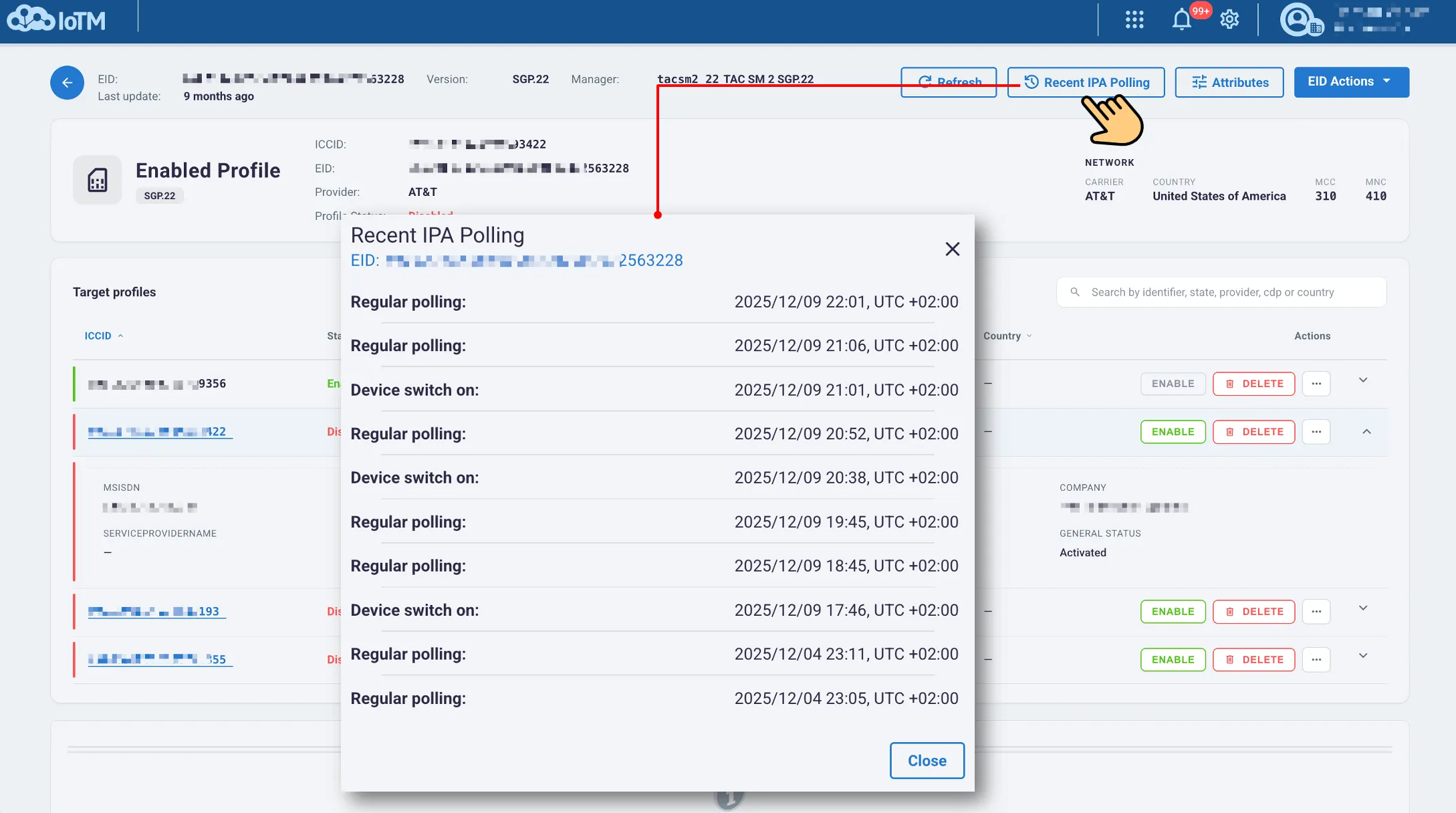
Viewing Recent IPA Polling from the EID details page
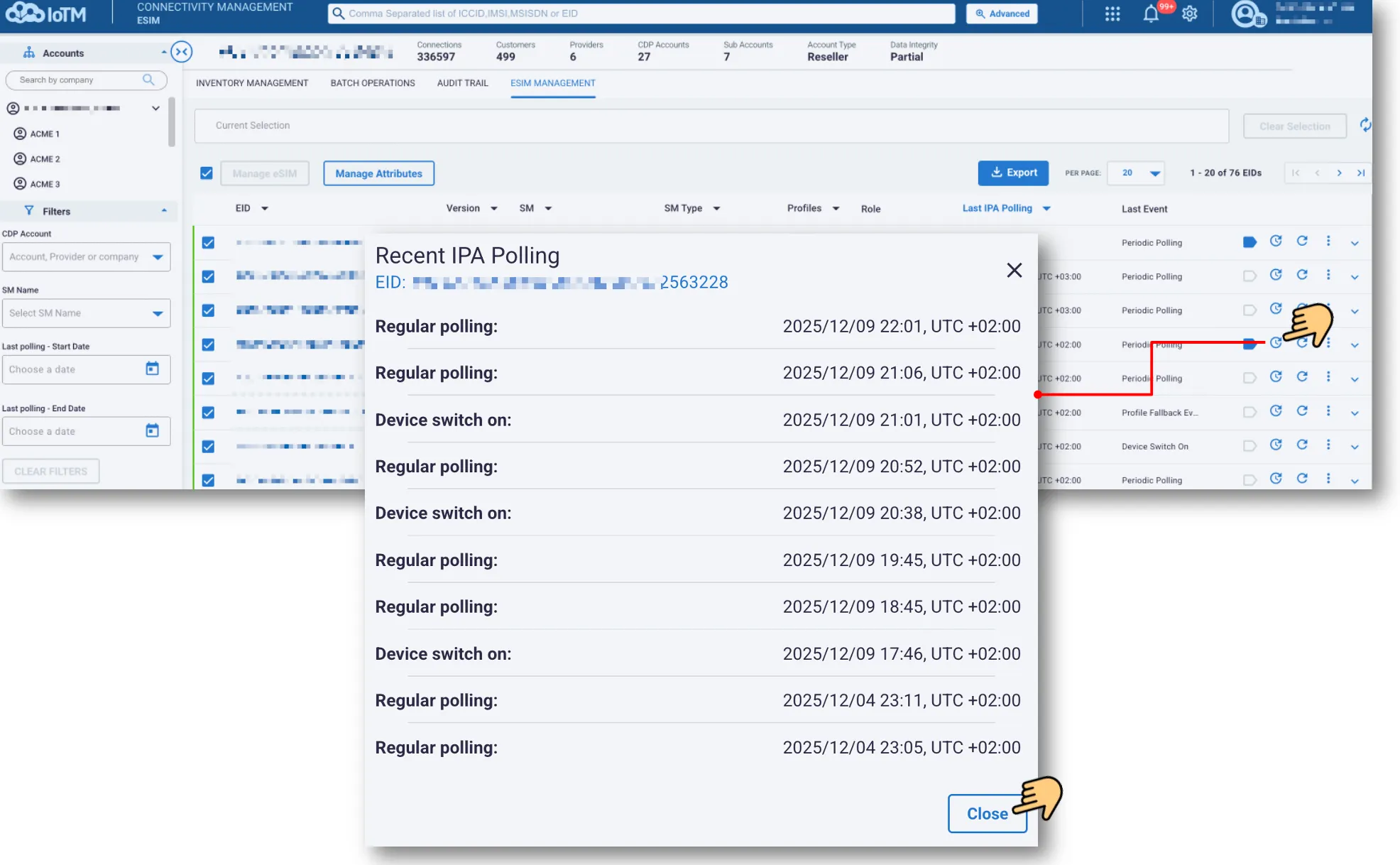
Viewing Recent IPA Polling from the control section on the eSIM Inventory Grid
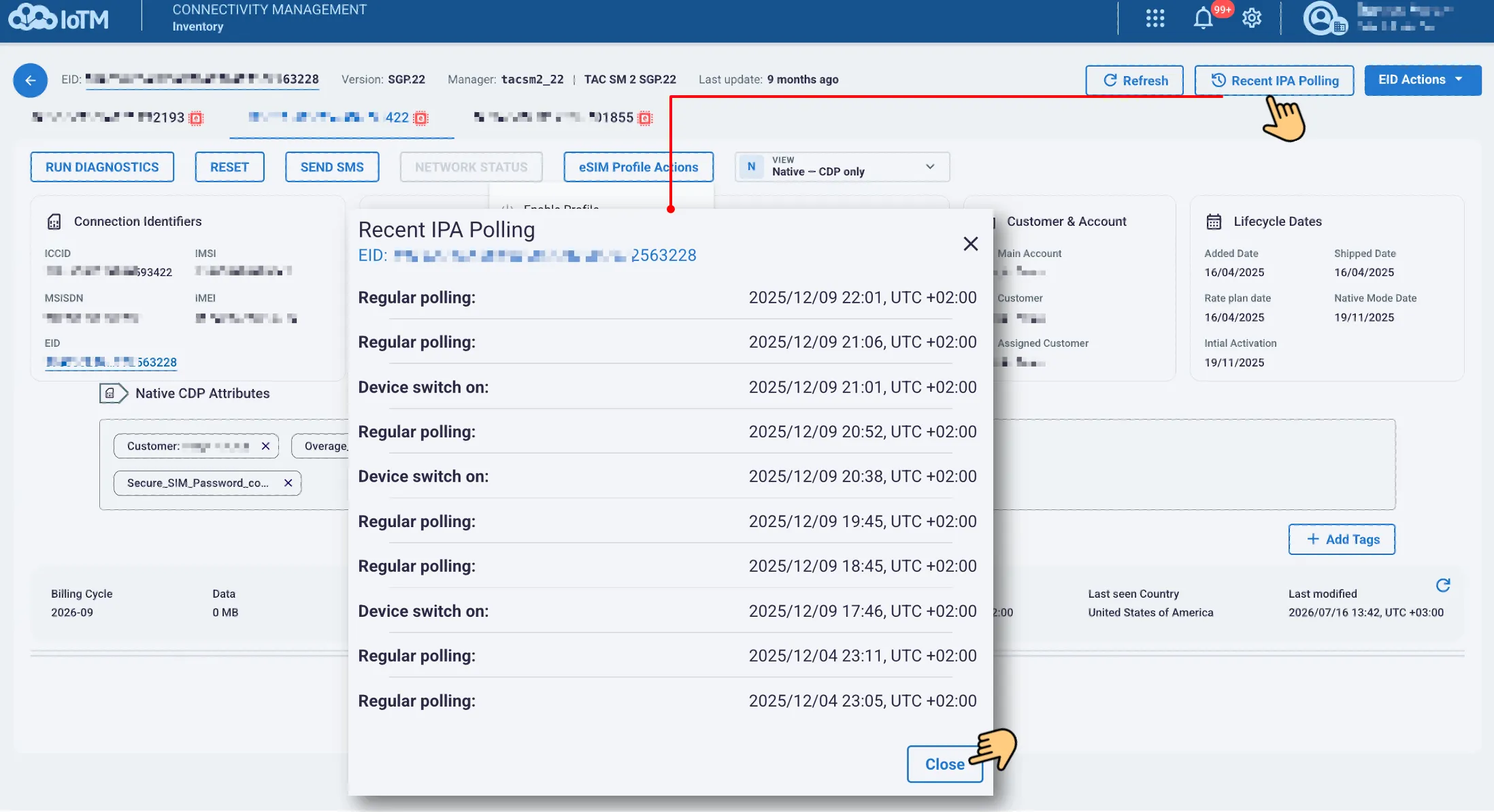
Viewing Recent IPA Polling from the details page of a managed eSIM Profile associated with the EID
The dialog lists recent events and timestamps for the selected EID, such as regular polling or device switch-on. Select Close to return.
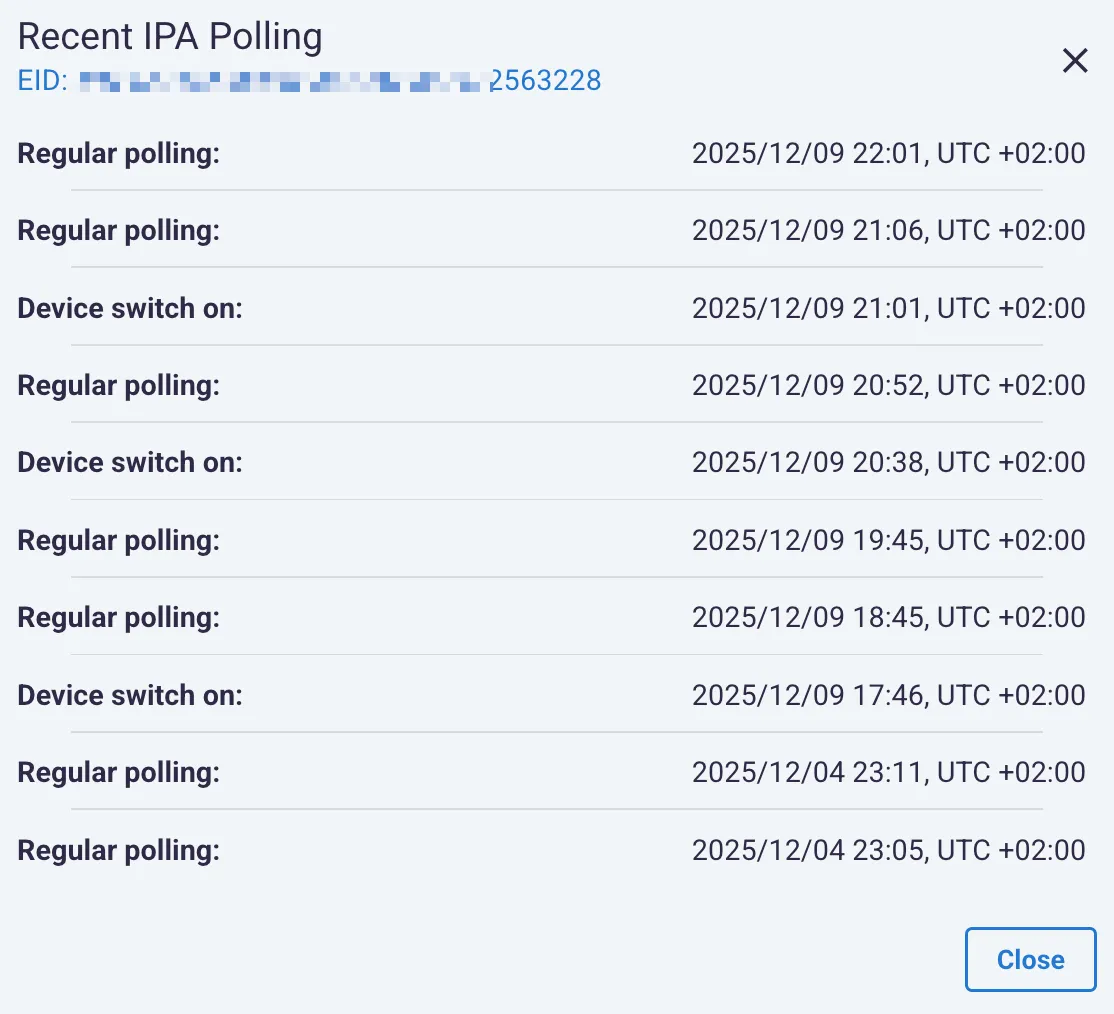
Recent IPA polling events for the selected EID
14.4.2 eSIM Configuration
Open eSIM Configuration in the EID’s extended-information area to inspect the stored configuration:
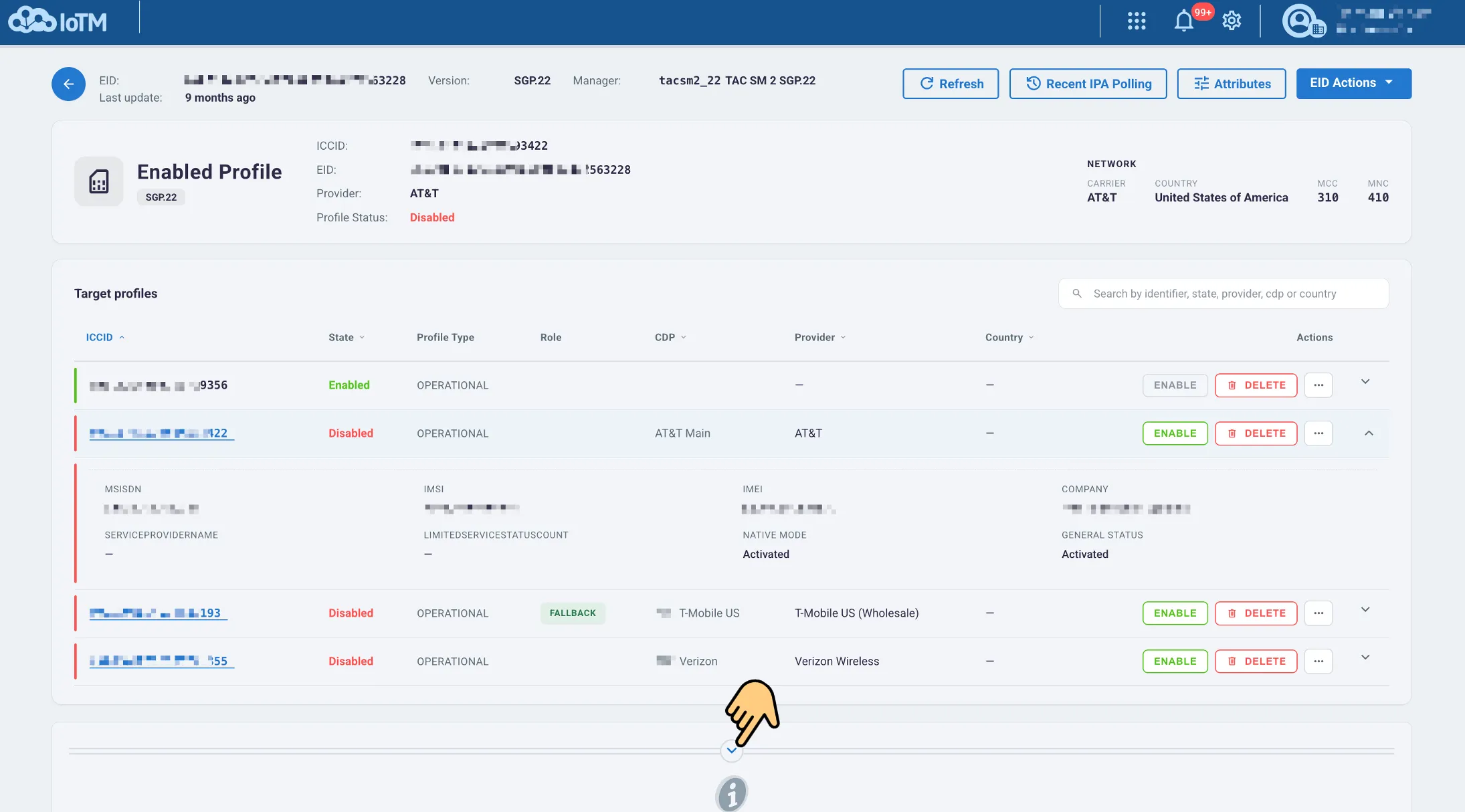
The view groups identity and integration information, remote endpoints, polling parameters, fallback settings, and attributes. Use Copy to copy the configuration information.
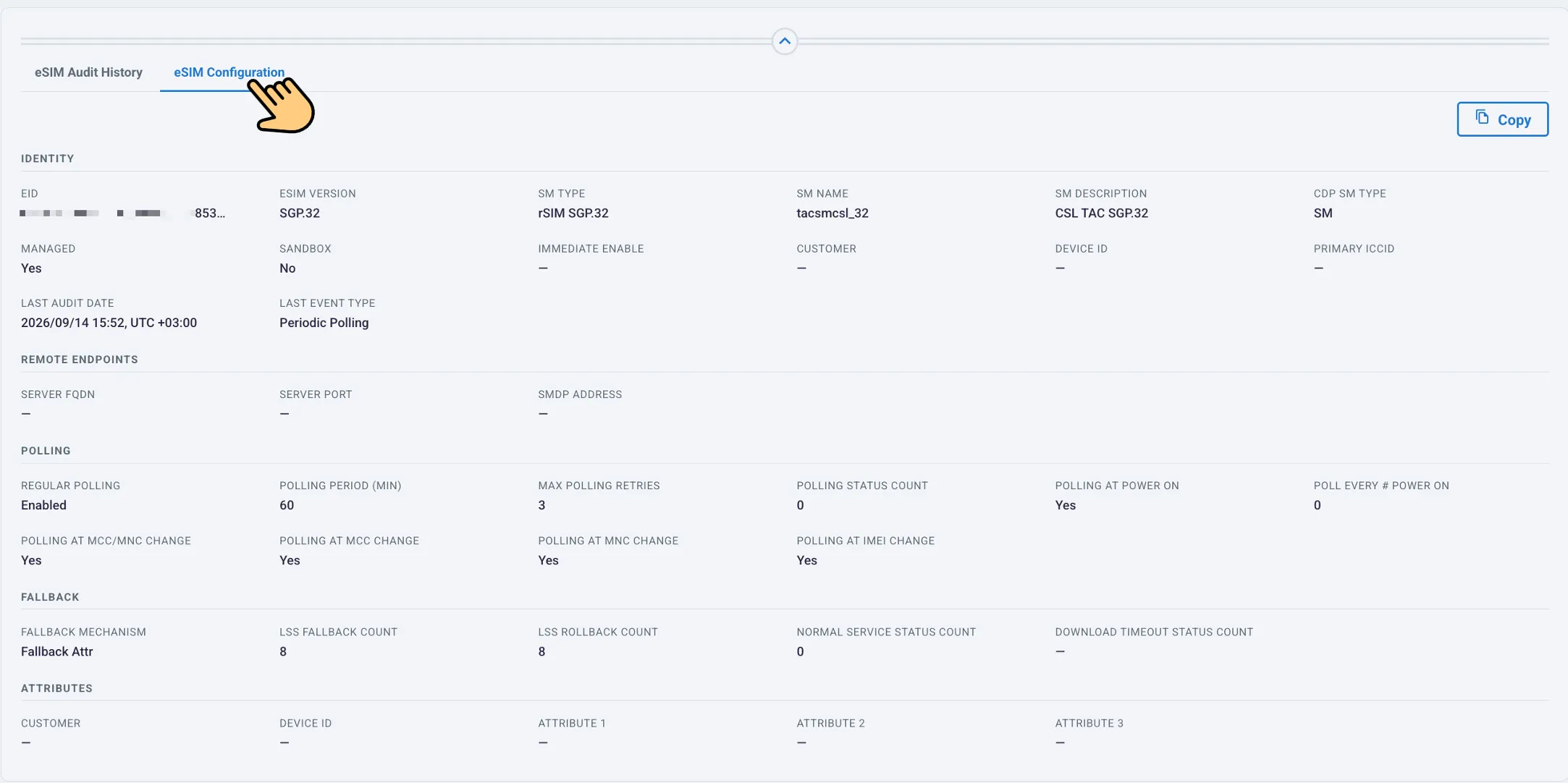
eSIM Configuration tab with identity and operational settings
Review the last-update information when checking configuration values. If current information is needed, request Query eSIM Configuration and verify its outcome. This view is also available within the RSIM workflow.
14.4.3 eSIM Audit History
Open eSIM Audit History in the EID’s extended-information area to review operations and events:
Use the date range, Event Type, Status, and Initiator controls to narrow the results. Clear removes the filter selections, Refresh reloads the history, and Export downloads the selected history.
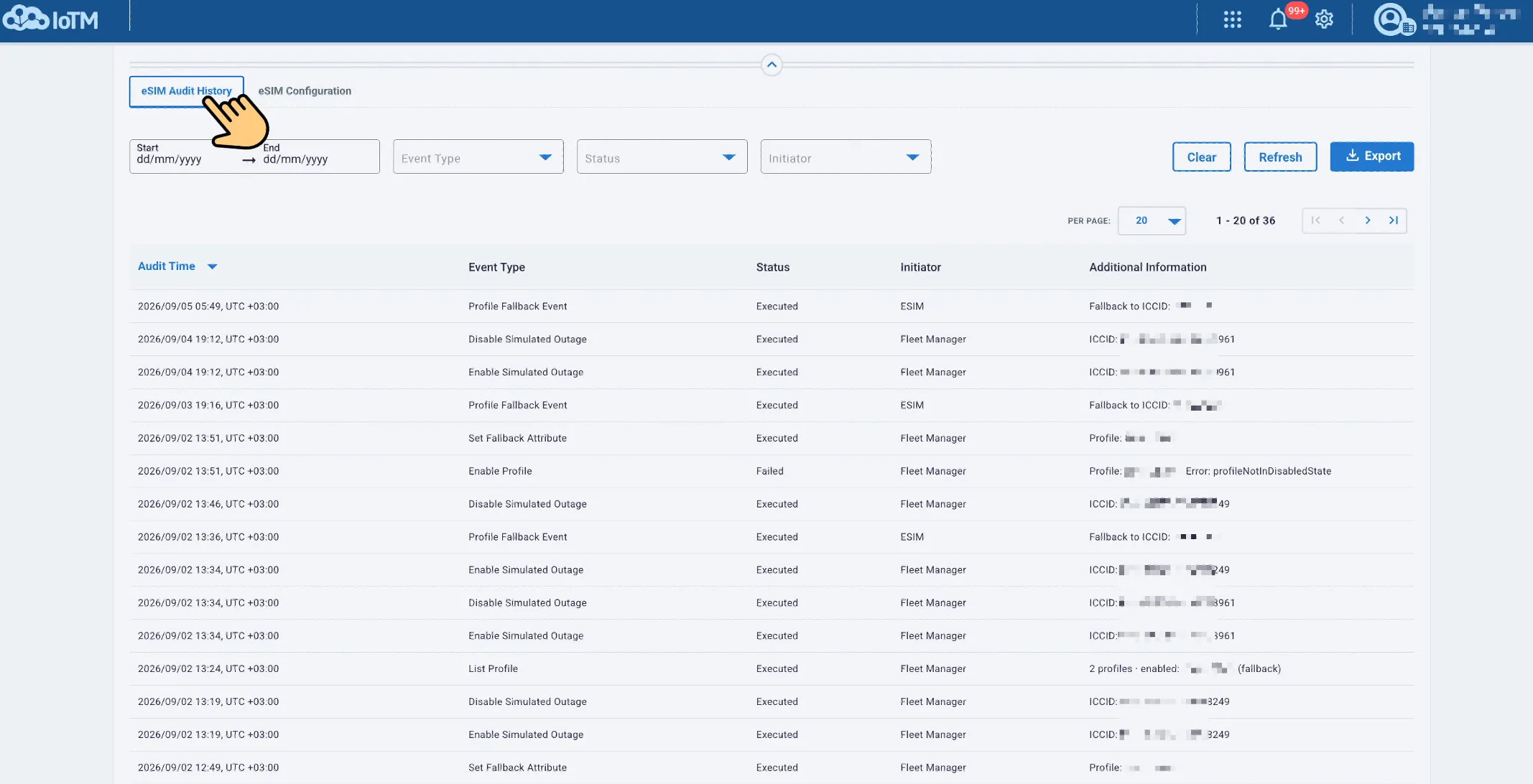
eSIM Audit History with filtering and export controls
The grid shows Audit Time, Event Type, Status, Initiator, and Additional Information. Use these details to confirm completion or investigate a failed operation. RSIM events, including fallback changes and simulated-outage activity, use this same audit view.